Day 0: The Training Ground
Goal: Set up Node 24, a fresh Backstage app from
create-appand a local Forgejo with demo repos, and start the portal for the first time. · Duration: approx. 60 min · Prerequisite: none
Briefing
- Backstage is not a finished product that you install.
create-appgenerates a monorepo of your own (frontend + backend) that you maintain yourself from today on. - The portal runs locally with
yarn start: frontend on port 3000, backend on 7007, data in SQLite files. - The Git platform is Forgejo in Docker. Backstage
talks to it through the Gitea integration with the bot user
backstage-bot. up.sh,seed.sh,portal.shandcheck.shbuild, fill, start and check the training ground.
 Laptop                                          Docker (Colima)
 ┌─────────────────────────────────────┐         ┌───────────────────────────┐
 │ ~/backstage-lab/                    │  REST   │ Container "bs-forgejo"    │
 │   portal/  Backstage 1.55.0         │ ──────► │   http://127.0.0.1:3300   │
 │     Frontend  http://localhost:3000 │  Token  │   Org kranich             │
 │     Backend   http://localhost:7007 │         │     sendungs-api          │
 │   data/    SQLite                   │         │     tracking-web          │
 │   setup/   env.sh up.sh portal.sh … │         │   lab-admin, backstage-bot│
 │ Node 24, Yarn 4 (Corepack)          │         └───────────────────────────┘
 └─────────────────────────────────────┘
Drill 1: Checking the Tools
docker version --format '{{.Server.Version}}'
colima version | head -1
git --version
jq --version
yq --version
curl --version | head -1 | cut -d' ' -f1-2
python3 --version
brew --version | head -1
Expected (may differ depending on the version):
29.5.2
colima version 0.10.3
git version 2.56.0
jq-1.8.2
yq (https://github.com/mikefarah/yq/) version v4.54.1
curl 8.7.1
Python 3.14.8
Homebrew 7.0.9
If needed, install yq (YAML on the command line, used
from Day 8 on) with brew install yq.
create-app only needs Python for native Node modules
(node-gyp). Instead of Colima, Docker Desktop works too, as
long as docker answers.
Now Node. Backstage 1.55 requires Node 22 or 24
("engines": { "node": "22 || 24" }), Node 25 is too new.
Homebrew installs node@24 “keg-only”, that is, alongside
any newer node you may already have:
brew install node@24
export PATH="/opt/homebrew/opt/node@24/bin:$PATH"
node -v
corepack enable
yarn --version
Expected:
v24.21.0
1.22.22
corepack enable prints nothing. It creates shims for
yarn that, in every project, start the version from the
packageManager field of package.json. Outside
a project this is still Yarn 1; in the Backstage app it will be Yarn 4.
You don’t have to put the export into your shell
configuration: from Drill 2 on, env.sh takes care of
it.
Tip: If the shell reports
command not found: corepack, your Node build does not ship Corepack. Thenbrew install corepackhelps (not tested live).
Save your progress? Sign up for free
Drill 2: Working Directory and Companion Code
You fetch the companion code once from GitHub into
~/backstage-lab/code and copy the setup scripts from it to
~/backstage-lab/setup:
mkdir -p ~/backstage-lab/tag00 && cd ~/backstage-lab
git clone https://github.com/thomaszachmann/backstage-zum-anfassen.git \
  ~/backstage-lab/code
cp -R ~/backstage-lab/code/setup ~/backstage-lab/setup
ls ~/backstage-lab/setup
ls ~/backstage-lab/setup/repos
Expected:
Cloning into '…/backstage-lab/code'...
check.sh   env.sh     mkrepo.sh  portal.sh  repos      seed.sh    up.sh
sendungs-api  tracking-web
env.sh sets everything the scripts and the commands in
the book need – including the PATH for Node 24:
grep '^export' ~/backstage-lab/setup/env.shExpected:
export LAB="${LAB:-$HOME/backstage-lab}"
export PORTAL="${PORTAL:-$LAB/portal}"
export PATH="${NODE_BIN:-/opt/homebrew/opt/node@24/bin}:$PATH"
export FORGEJO_NAME="${FORGEJO_NAME:-bs-forgejo}"
export FORGEJO_PORT="${FORGEJO_PORT:-3300}"
export FORGEJO="http://127.0.0.1:$FORGEJO_PORT"
export ADMIN="lab-admin:lab-admin-pw-123"                       # Lab-Wert!
export FORGEJO_TOKEN="$(cat "$LAB/setup/forgejo-token" 2>/dev/null)"
export APP_PORT="${APP_PORT:-3000}"
export BACKSTAGE_PORT="${BACKSTAGE_PORT:-7007}"
export APP="http://localhost:$APP_PORT"
export BACKSTAGE="http://localhost:$BACKSTAGE_PORT"
export BACKSTAGE_TOKEN="lab-cli-token-0123456789abcdef"         # Lab-Wert!
On top of that comes the function bs <api-path>: a
curl against $BACKSTAGE/api/… with the lab
token. (“Lab-Wert!” in the comments means “lab value!”.) From now on,
every terminal session starts with:
source ~/backstage-lab/setup/env.shSave your progress? Sign up for free
Drill 3: Generating the App
create-app asks for the app name. Answer with
portal:
cd ~/backstage-lab
npx @backstage/[email protected] --path ~/backstage-lab/portal
Expected (shortened, test run from October 13, 2026):
Prerequisites check...

  Node version is: 24.21.0
  Yarn version is: 1.22.22
  Python version is: 3.14.8
? Enter a name for the app [required] portal

Creating the app...
...
 Preparing files:
  copying       .dockerignore ✔
  templating    app-config.yaml.hbs ✔
  templating    backstage.json.hbs ✔
...
  fetching      yarn.lock seed ✔

 Installing dependencies:
  init          git repository ✔
! Corepack is about to download https://repo.yarnpkg.com/4.13.0/packages/yarnpkg-cli/…
➤ YN0000: · Yarn 4.13.0
➤ YN0000: ┌ Resolution step
➤ YN0001: │ Error: got@patch:got@npm%3A11.8.2#~/.yarn/patches/got-npm-11.8.2-c1eb10545…
➤ YN0000: · Failed with errors in 1m 7s
  executing     yarn install ✖

Error: Could not execute command yarn install

🔥  Failed to create app!
In the test run, create-app failed – but the files and
the first Git commit are already in ~/backstage-lab/portal.
If your output ends with a success message instead, skip the following
box.
Warning: If
yarn installaborts withgot@patch:got@npm%3A11.8.2 … ENOENT: the cause is the broken published package@yarnpkg/[email protected], which expects a patch file that does not exist. You pin the last good version viaresolutionsin the rootpackage.jsonand catch up on the installation and type check (whichcreate-appwould have done next):cd ~/backstage-lab/portal jq '.resolutions["@yarnpkg/core"] = "4.9.1"' package.json > package.json.neu \ && mv package.json.neu package.json git diff --stat yarn install yarn tsc
Expected (shortened):
 package.json | 3 ++-
 1 file changed, 2 insertions(+), 1 deletion(-)
➤ YN0000: · Yarn 4.13.0
➤ YN0000: ┌ Resolution step
➤ YN0085: │ + @backstage/backend-defaults@npm:0.18.0, @backstage/cli-defaults@npm:0.1…
...
➤ YN0060: │ react is listed by your project with version 18.3.1 (pd98da7), which does…
...
➤ YN0007: │ ssh2@npm:1.17.0 must be built because it never has been before or the last…
➤ YN0000: └ Completed in 35s 451ms
➤ YN0000: · Done with warnings in 1m 50s
On success, yarn tsc reports nothing. The
YN0060/YN0002 warnings about peer dependencies
are normal in every fresh Backstage app. Afterwards
node_modules takes up about 1.7 GB. Commit the fix so it
doesn’t get lost:
git commit -qam "Pin @yarnpkg/core 4.9.1 (kaputtes 4.9.2)" && git log --onelineExpected (hashes differ):
3f1c2ab Pin @yarnpkg/core 4.9.1 (kaputtes 4.9.2)
0a5bdc2 Initial commit
Save your progress? Sign up for free
Drill 4: What Did create-app Build?
cd ~/backstage-lab/portal
ls -1
cat backstage.json
yarn --version
Expected:
README.md
app-config.production.yaml
app-config.yaml
backstage.json
catalog-info.yaml
examples
node_modules
package.json
packages
playwright.config.ts
plugins
tsconfig.json
yarn.lock
{
  "version": "1.55.0"
}
4.13.0| Path | Contents |
|---|---|
packages/app |
Frontend (React), started by backstage-cli |
packages/backend |
Backend (Node), all backend plugins |
plugins/ |
still empty – your own plugins go here (Day 11) |
app-config.yaml |
Configuration; *.local.yaml and
*.production.yaml override it |
examples/ |
Example entities, groups and a template for the first catalog |
backstage.json |
the Backstage release version, the basis for upgrades (Day 14) |
The frontend uses the new frontend system: plugins
are features that createApp receives. What appears on which
page you control through extensions in app-config.yaml:
cat packages/app/src/App.tsx
grep -A3 '^  extensions:' app-config.yaml
Expected:
import { createApp } from '@backstage/frontend-defaults';
import catalogPlugin from '@backstage/plugin-catalog/alpha';
import { navModule } from './modules/nav';
import { homeModule } from './modules/home';

export default createApp({
  features: [catalogPlugin, navModule, homeModule],
}); extensions:
- page:catalog:
config:
path: /The app finds further plugins by itself via
app.packages: all (all plugins from
packages/app/package.json). The catalog page is at
/ instead of /catalog – remember this for the
URLs in the book. The backend uses the new backend system; each plugin
is one line:
grep -c 'backend.add' packages/backend/src/index.ts
grep -o "import('[^']*')" packages/backend/src/index.ts | head -4
Expected:
22
import('@backstage/plugin-app-backend')
import('@backstage/plugin-proxy-backend')
import('@backstage/plugin-scaffolder-backend')
import('@backstage/plugin-scaffolder-backend-module-github')
Save your progress? Sign up for free
Drill 5: Starting and Filling Forgejo
up.sh is idempotent: it starts the container
bs-forgejo (image
codeberg.org/forgejo/forgejo:16.0.6-rootless, SQLite,
volumes bs-forgejo-data and bs-forgejo-conf),
creates lab-admin and backstage-bot, and
writes the bot token to ~/backstage-lab/setup/forgejo-token
(permissions 600).
cd ~/backstage-lab/setup
./up.sh
docker ps --filter name=bs-forgejo --format '{{.Names}}  {{.Status}}  {{.Ports}}'
Expected (the very first time, Docker pulls the image beforehand):
New user 'lab-admin' has been successfully created!
New user 'backstage-bot' has been successfully created!
✔ Forgejo läuft: http://127.0.0.1:3300 (lab-admin / lab-admin-pw-123)
bs-forgejo  Up 2 seconds  2222/tcp, 127.0.0.1:3300->3000/tcp
(“Forgejo läuft” means “Forgejo is running”.) Now there is a token.
Reload env.sh and ask Forgejo who the bot is:
source ~/backstage-lab/setup/env.sh
curl -s "$FORGEJO/api/v1/version"; echo
curl -s -H "Authorization: token $FORGEJO_TOKEN" "$FORGEJO/api/v1/user" \
  | jq -c '{login, is_admin}'
Expected:
{"version":"16.0.6+gitea-1.22.0"}
{"login":"backstage-bot","is_admin":false}
The version suffix +gitea-1.22.0 is the reason Backstage
can talk to Forgejo through its Gitea integration. seed.sh
creates the org kranich, puts the bot into its Owners team
and pushes the demo repos from setup/repos/:
./seed.sh
curl -s -u "$ADMIN" "$FORGEJO/api/v1/repos/kranich/sendungs-api/contents" \
  | jq -r '[.[].path] | join(" ")'
Expected:
✔ kranich/sendungs-api angelegt (http://127.0.0.1:3300/kranich/sendungs-api)
✔ kranich/tracking-web angelegt (http://127.0.0.1:3300/kranich/tracking-web)
✔ Org kranich mit 2 Repos
catalog-info.yaml docs mkdocs.yml openapi.yaml package.json src
(“angelegt” means “created”, “mit 2 Repos” means “with 2 repos”.) A
second run of ./seed.sh leaves existing repos alone and
only reports the last line. ./seed.sh --reset resets both
repos to the state of Day 0.
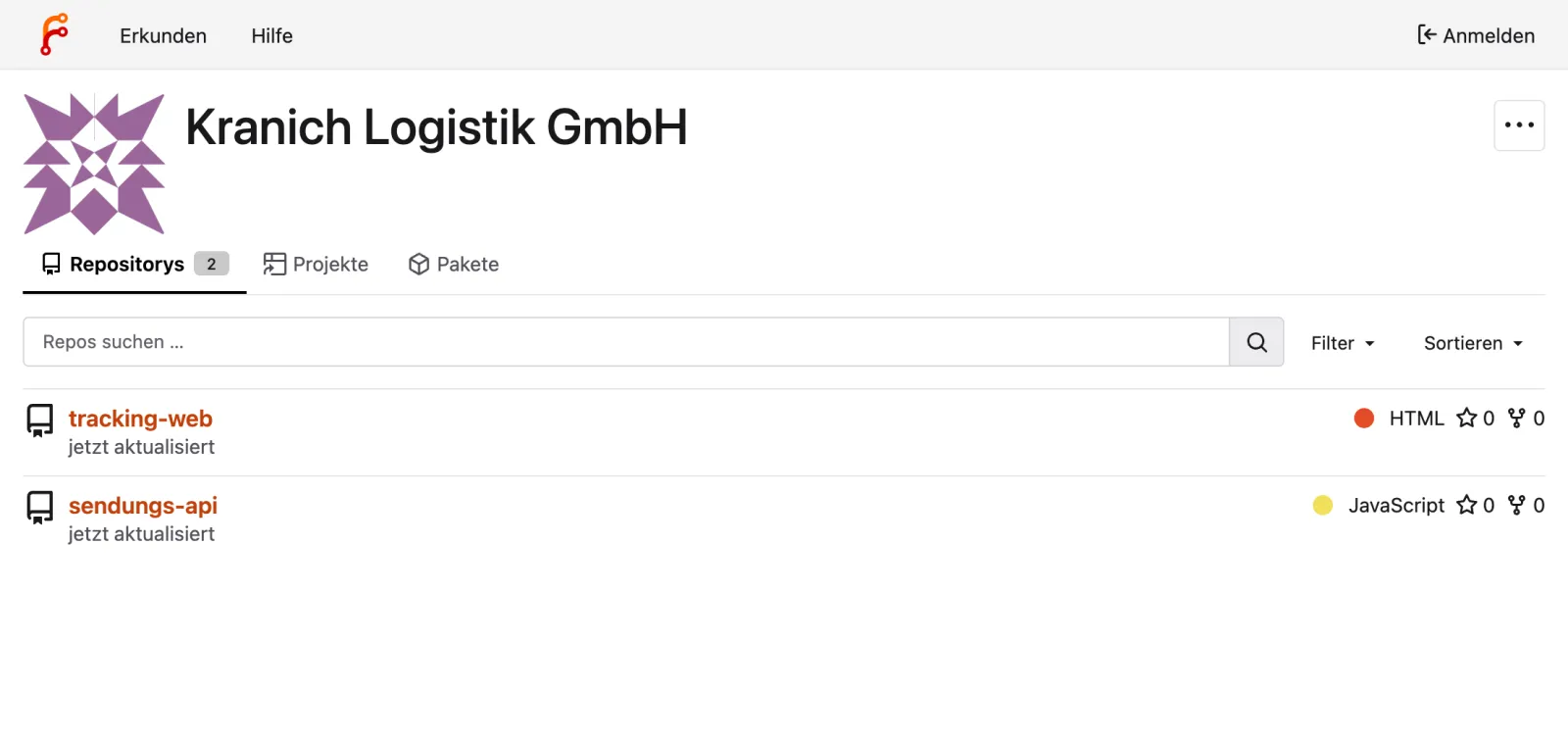
In the browser:
- Open
http://127.0.0.1:3300/kranich. - Optionally Sign In at the top right with
lab-admin/lab-admin-pw-123(lab value).
Expected: the org with two repos as in the figure. Forgejo shows the interface in the language of your browser.
Security: Passwords and tokens are lab values.
forgejo-tokennever belongs in a Git repo and never in a screenshot.
Save your progress? Sign up for free
Drill 6: Lab Configuration
Backstage loads app-config.yaml and then
app-config.local.yaml. The second file overrides the first
and is listed in .gitignore via *.local.yaml –
the right place for everything local. ${…} reads
environment variables that env.sh sets:
cat > ~/backstage-lab/portal/app-config.local.yaml <<'EOF'
app:
  title: Kranich Entwicklerportal
organization:
  name: Kranich Logistik
backend:
  auth:
    externalAccess:
      - type: static
        options:
          token: ${BACKSTAGE_TOKEN}
          subject: lab-cli
  database:
    client: better-sqlite3
    connection:
      directory: ${LAB}/data
integrations:
  gitea:
    - host: 127.0.0.1:3300
      baseUrl: http://127.0.0.1:3300
      username: backstage-bot
      password: ${FORGEJO_TOKEN}
EOF
cd ~/backstage-lab/portal && git check-ignore -v app-config.local.yaml
Expected:
.gitignore:44:*.local.yaml app-config.local.yamlWhat the blocks do:
externalAccesswithtype: staticallows calls with the fixed lab token as subjectlab-cli– this is whatbsuses.databasewithdirectorycreates one SQLite file per plugin in~/backstage-lab/data. This way the catalog survives a restart (the default is:memory:).integrations.gitealets Backstage read files from Forgejo asbackstage-bot(from Day 1 on).
Warning: If you run
yarn startby hand,env.shmust be loaded first, otherwise${LAB}and${FORGEJO_TOKEN}are empty and the backend does not start.portal.shloadsenv.shitself.
Save your progress? Sign up for free
Drill 7: Starting the Portal and Logging In
~/backstage-lab/setup/portal.sh startExpected (the first start takes a bit longer):
✔ Backstage läuft: http://localhost:3000 (Backend http://localhost:7007)portal.sh starts yarn start in the
background and waits until the backend readiness check and the frontend
respond. What happened along the way is in the log:
~/backstage-lab/setup/portal.sh logs 200 \
  | grep -E 'Loaded config|Listening|initialization complete|warn'
Expected (shortened):
Loaded config from app-config.yaml, app-config.local.yaml
2026-10-13T06:19:50.973Z rootHttpRouter info Listening on :7007
2026-10-13T06:19:51.211Z search warn Postgres search engine is not supported, skippi…
2026-10-13T06:19:51.529Z kubernetes warn Failed to initialize kubernetes backend: va…
2026-10-13T06:19:51.907Z backstage info Plugin initialization complete, newly initia…
2026-10-13T06:19:51.982Z catalog warn Event subscribe request failed with status 404…
The warnings are expected: Postgres search only comes with PostgreSQL
(Day 13), and a cluster for the Kubernetes plugin only on Day 10.
~/backstage-lab/data now contains one SQLite file per
plugin (catalog.sqlite, auth.sqlite, …).
In the browser:
- Open
http://localhost:3000. - On the sign-in page, click Enter in the Guest box.
Expected: the sign-in page already shows your title from
app-config.local.yaml.
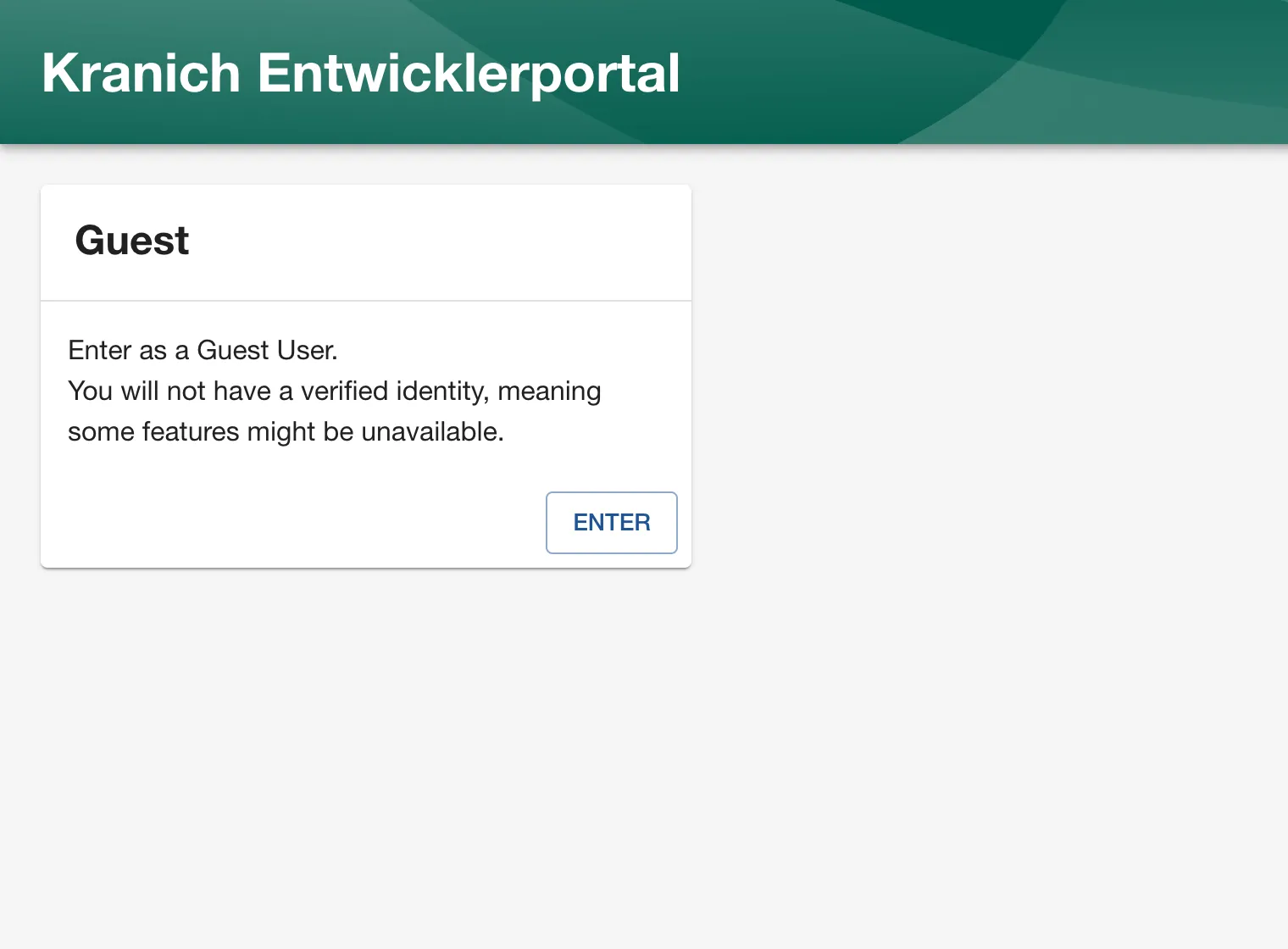
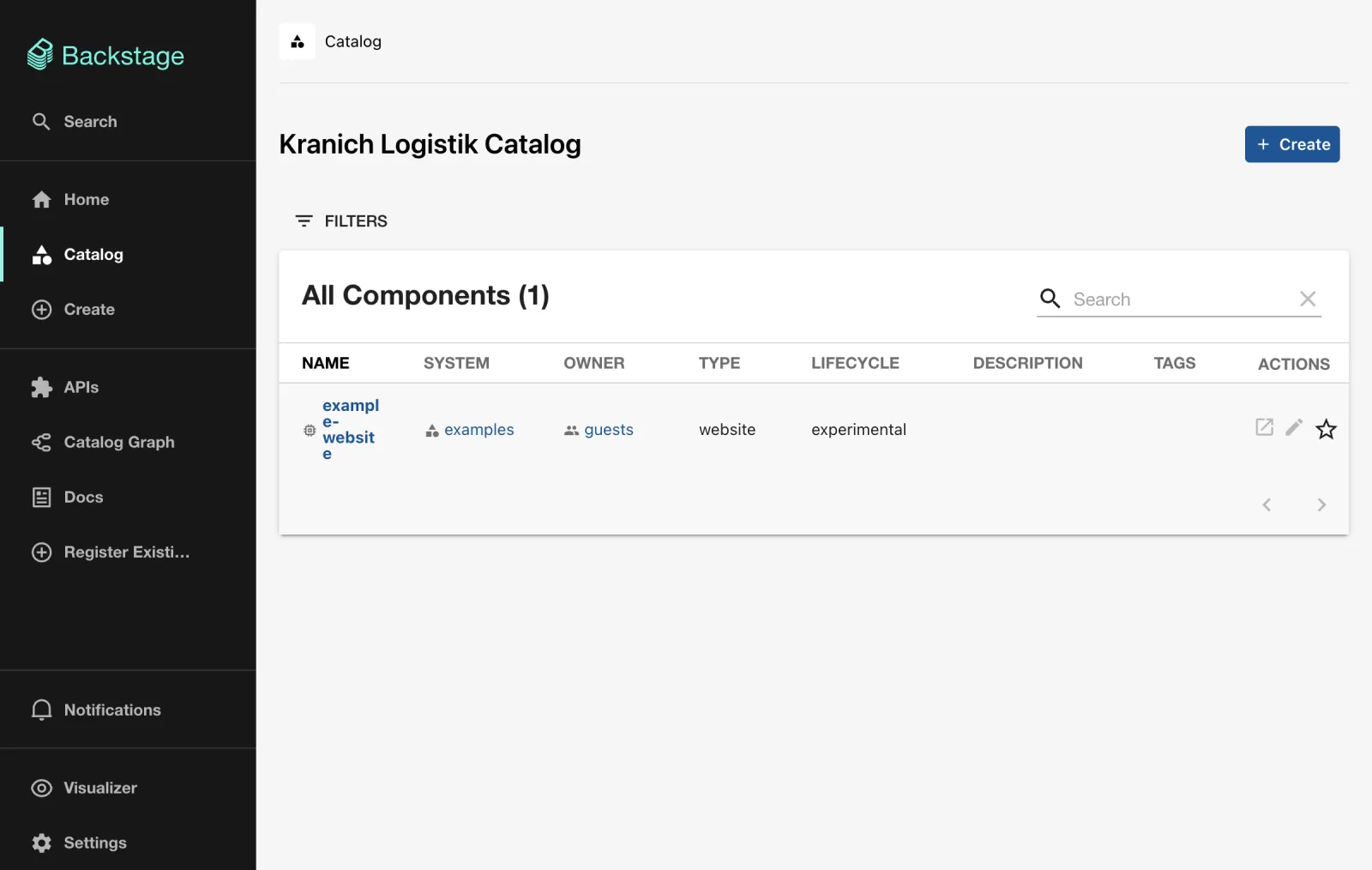
After Enter you are
user:development/guest and land in the catalog. The heading
comes from organization.name, the content from
examples/entities.yaml: a Component
example-website, owner guests.
The filter lives in the URL. Open
http://localhost:3000/?filters[kind]=template.
Expected: the example template from
examples/template/template.yaml.
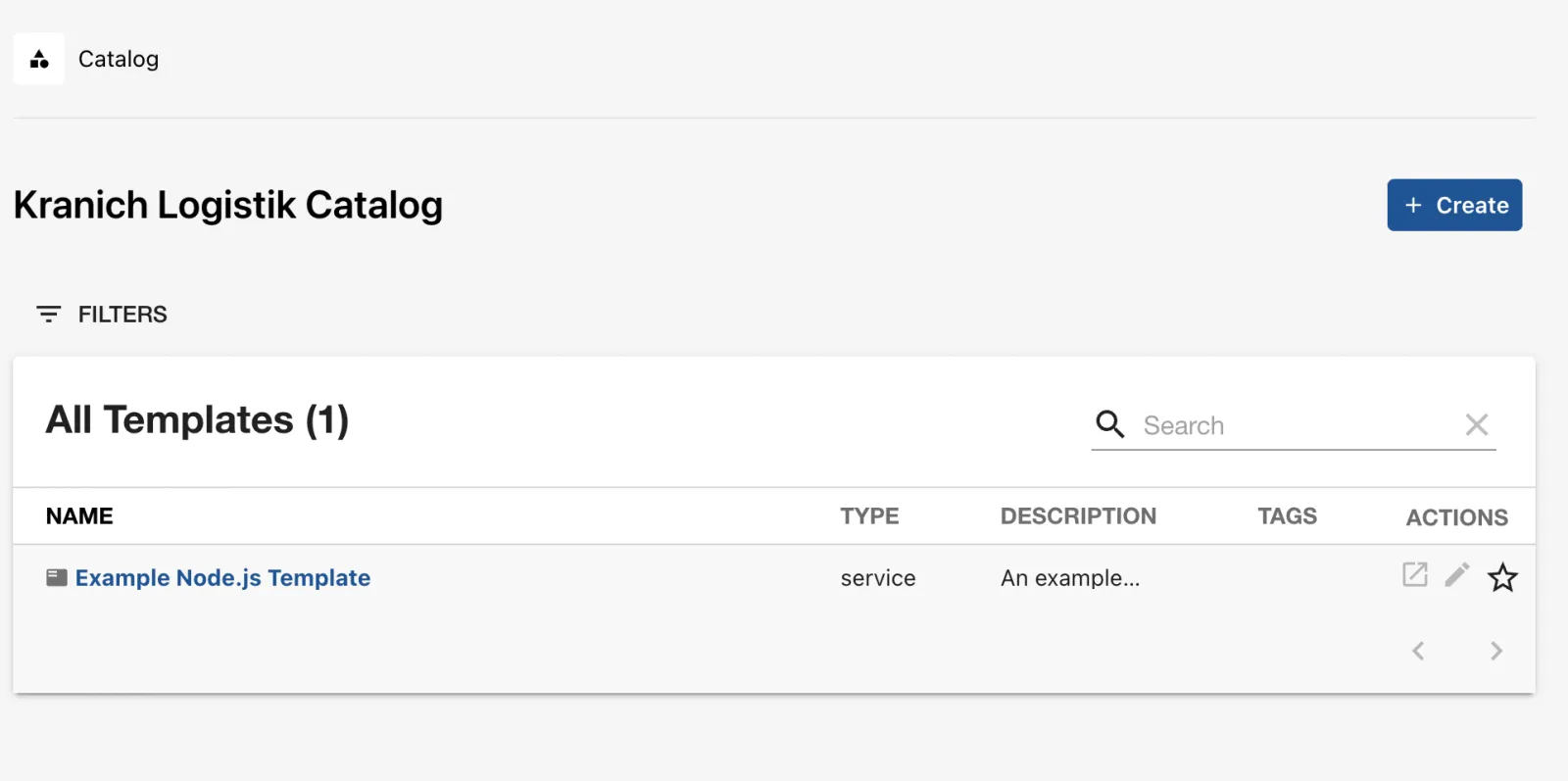
The Forgejo repos are not in the catalog yet – you register them on Day 1.
Save your progress? Sign up for free
Drill 8: Checking the Catalog via API and the Training Ground
Everything the GUI shows comes from the backend’s REST API. With the lab token:
source ~/backstage-lab/setup/env.sh
bs catalog/entities | jq -r '.[] | "\(.kind)\t\(.metadata.name)"' | sort
bs 'catalog/entities?filter=kind=component' \
  | jq -r '.[] | "\(.metadata.name)  owner=\(.spec.owner)"'
Expected (location names shortened):
API example-grpc-api
Component   example-website
Group   guests
Location    generated-140e1a7b3ce8f40124d47e4aebe76bb99632925d
Location    generated-58564e4f5d7af53b90d73f07e1590deb70111871
Location    generated-9015f07fda6d49468cb95f3ee5412a7f7a4eafbb
System  examples
Template    example-nodejs-template
User    guest
example-website  owner=guests
And without a token?
curl -s -o /dev/null -w '%{http_code}\n' "$BACKSTAGE/api/catalog/entities"
curl -s "$BACKSTAGE/api/catalog/entities" | jq -c '.error | {name, message}'
curl -s -H 'Authorization: Bearer falsch' "$BACKSTAGE/api/catalog/entities" \
  | jq -r .error.message
Expected:
401
{"name":"AuthenticationError","message":"Missing credentials"}
Illegal token
The backend only lets through user tokens (from sign-in), service
tokens of other plugins and the configured externalAccess
tokens. Finally, the overall check:
~/backstage-lab/setup/check.shExpected:
✔ Docker läuft
✔ Node 24 (node -v)
✔ Yarn 4 über Corepack (im Portal)
✔ Forgejo erreichbar unter http://127.0.0.1:3300
✔ Bot-Token gültig (backstage-bot)
✔ Repo kranich/sendungs-api vorhanden (sonst: seed.sh)
✔ Backend bereit (http://localhost:7007)
✔ Frontend erreichbar (http://localhost:3000)
✔ Katalog-API mit Lab-Token
The exit code is the number of ✘. After a laptop restart,
./up.sh and ./portal.sh start are enough, and
everything is green again. At the very end of the book you clean up like
this: portal.sh stop, docker rm -f bs-forgejo,
docker volume rm bs-forgejo-data bs-forgejo-conf,
rm -rf ~/backstage-lab.
Save your progress? Sign up for free
Checkpoint
The file is also available at
~/backstage-lab/code/tag00/kontrollpunkt.sh.
source ~/backstage-lab/setup/env.sh
cd "$PORTAL"
[ "$(jq -r .version backstage.json)" = 1.55.0 ] && echo "✔ Backstage 1.55.0" \
  || echo "✘ falsche Backstage-Version"
jq -e '.resolutions["@yarnpkg/core"] == "4.9.1"' package.json >/dev/null \
  && echo "✔ @yarnpkg/core auf 4.9.1 gepinnt" || echo "✘ resolutions fehlt"
git check-ignore -q app-config.local.yaml && echo "✔ app-config.local.yaml ignoriert" \
  || echo "✘ app-config.local.yaml würde eingecheckt"
[ -s "$LAB/data/catalog.sqlite" ] && echo "✔ Katalog in SQLite ($LAB/data)" \
  || echo "✘ keine SQLite-Datei"
n=$(bs 'catalog/entities?filter=kind=component' | jq length)
[ "${n:-0}" -ge 1 ] && echo "✔ $n Component(s) im Katalog" || echo "✘ Katalog leer"
code=$(curl -s -o /dev/null -w '%{http_code}' "$BACKSTAGE/api/catalog/entities")
[ "$code" = 401 ] && echo "✔ ohne Token: 401" || echo "✘ ohne Token: $code"
"$LAB/setup/check.sh" >/dev/null && echo "✔ check.sh ohne Fehler" \
  || echo "✘ check.sh meldet Fehler"
Expected:
✔ Backstage 1.55.0
✔ @yarnpkg/core auf 4.9.1 gepinnt
✔ app-config.local.yaml ignoriert
✔ Katalog in SQLite (/Users/<du>/backstage-lab/data)
✔ 1 Component(s) im Katalog
✔ ohne Token: 401
✔ check.sh ohne Fehler
If you did not run into the stumbling block from Drill 3, the second line may show ✘.
Challenge
Change the portal title to “Kranich Entwicklerportal (Lab)”, restart the portal and prove without a browser that the new title is being served. Afterwards, restore the old title.
Hint: The frontend reads its configuration only at
startup, and app.title ends up in the
<title> of the served index.html.
Solution
source ~/backstage-lab/setup/env.sh
cd ~/backstage-lab/portal
sed -i '' 's/^  title: .*/  title: Kranich Entwicklerportal (Lab)/' \
  app-config.local.yaml
head -2 app-config.local.yaml
~/backstage-lab/setup/portal.sh restart
curl -s "$APP" | grep -o '<title>[^<]*</title>'
Expected:
app:
  title: Kranich Entwicklerportal (Lab)
✔ gestoppt
✔ Backstage läuft: http://localhost:3000 (Backend http://localhost:7007)
<title>Kranich Entwicklerportal (Lab)</title>
In a private browser window, the sign-in page at
http://localhost:3000 shows the new title.
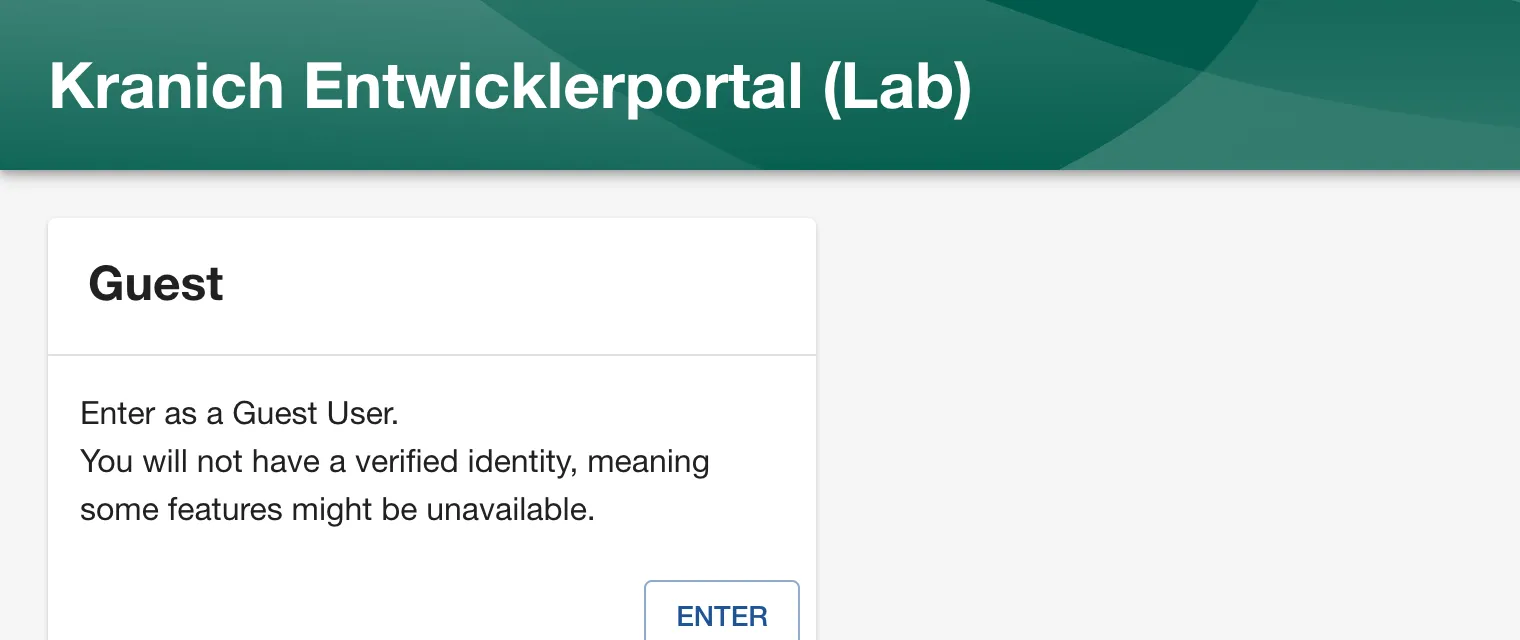
Restoring it:
sed -i '' 's/^  title: .*/  title: Kranich Entwicklerportal/' app-config.local.yaml
~/backstage-lab/setup/portal.sh restart
The sed only hits app.title because it is
the only line with exactly two spaces before title:.
sed -i '' is the macOS syntax; on Linux it is
sed -i.
Save your progress? Sign up for free
Enterprise Note
- Pin the Node version (
.nvmrc/mise.toml,engines, base image in the Dockerfile) and always check inyarn.lock–create-appis a snapshot, not a package with updates. - The app belongs in its own repo with CI (
yarn tsc,yarn test,yarn lint); document workarounds like theresolutionsand remove them again with a ticket. - Never write secrets into
app-config*.yaml, only${VAR}from a secret store or Kubernetes Secret;externalAccesswith a static token is for the lab only. - SQLite and guest login are lab shortcuts: in production, PostgreSQL (Day 13) and real login with permissions (Day 12).
- Backstage is a product, not a tool rollout: it needs a platform team with a roadmap, an upgrade cadence (monthly releases) and ownership for the catalog and plugins.