Day 1: First Tour
Goal: You find your way around the portal, register the first Forgejo repos in the Software Catalog and read the same data via the API. · Duration: approx. 90 min · Prerequisite: Day 0
Briefing
- The Software Catalog is the heart of Backstage:
every entity (Component, API, Group …) comes from a YAML file, usually
catalog-info.yamlin the repo. - A Location points to such a file. Backstage reads it, processes the entities and refreshes them periodically.
- Everything the user interface shows is delivered by the catalog API
at
/api/catalog.
Forgejo repo                  Backstage backend                    Frontend
catalog-info.yaml ─► Location ─► Processing ─► Entities ─► /api/catalog ─► catalog page
        ▲                           │ every ~2 min or via refresh
        └───────────────────────────┘
Drill 1: Guest Login, Sidebar and Filters
The starting point is the end of Day 0: Forgejo is running, the org
kranich is filled, app-config.local.yaml
exists and the portal is started.
source ~/backstage-lab/setup/env.sh
~/backstage-lab/setup/portal.sh start
~/backstage-lab/setup/check.sh | tail -3
Expected:
✔ Backstage läuft: http://localhost:3000 (Backend http://localhost:7007)
✔ Backend bereit (http://localhost:7007)
✔ Frontend erreichbar (http://localhost:3000)
✔ Katalog-API mit Lab-Token- Open
http://localhost:3000and click Enter for the Guest provider. - Click Settings at the bottom of the sidebar. Under
Profile it says
user:development/guest– that is your identity until Day 12. - Go through the sidebar from top to bottom.
| Entry | Path | Purpose |
|---|---|---|
| Home | /home |
Home page with widgets (on / from Day 9 on) |
| Catalog | / |
Software Catalog – the start page here |
| Create | /create |
Software Templates (Day 5) |
| APIs | /api-docs |
all API entities |
| Catalog Graph | /catalog-graph |
Relations as a graph |
| Docs | /docs |
TechDocs (Day 7) |
| Register Existing Component | /catalog-import |
Register a location |
| Visualizer | /visualizer |
Extension tree (from Day 9 on “App-Struktur”) |
The catalog lives at / because
app-config.yaml configures the extension
page:catalog with path: /. That is why
http://localhost:3000/catalog on its own returns 404;
entity pages are still at
/catalog/<namespace>/<kind>/<name>.
Now the filters on the left of the catalog page:
- Click Catalog. Expected: the catalog page as in the
figure, with Kind
Componentand exactly one example component,example-website. - Set Kind to
API–example-grpc-apiappears. TryTemplate,GroupandUser, then go back toComponent. - Under Lifecycle select the value
experimental, under Owner the valueguests. Watch the address bar.
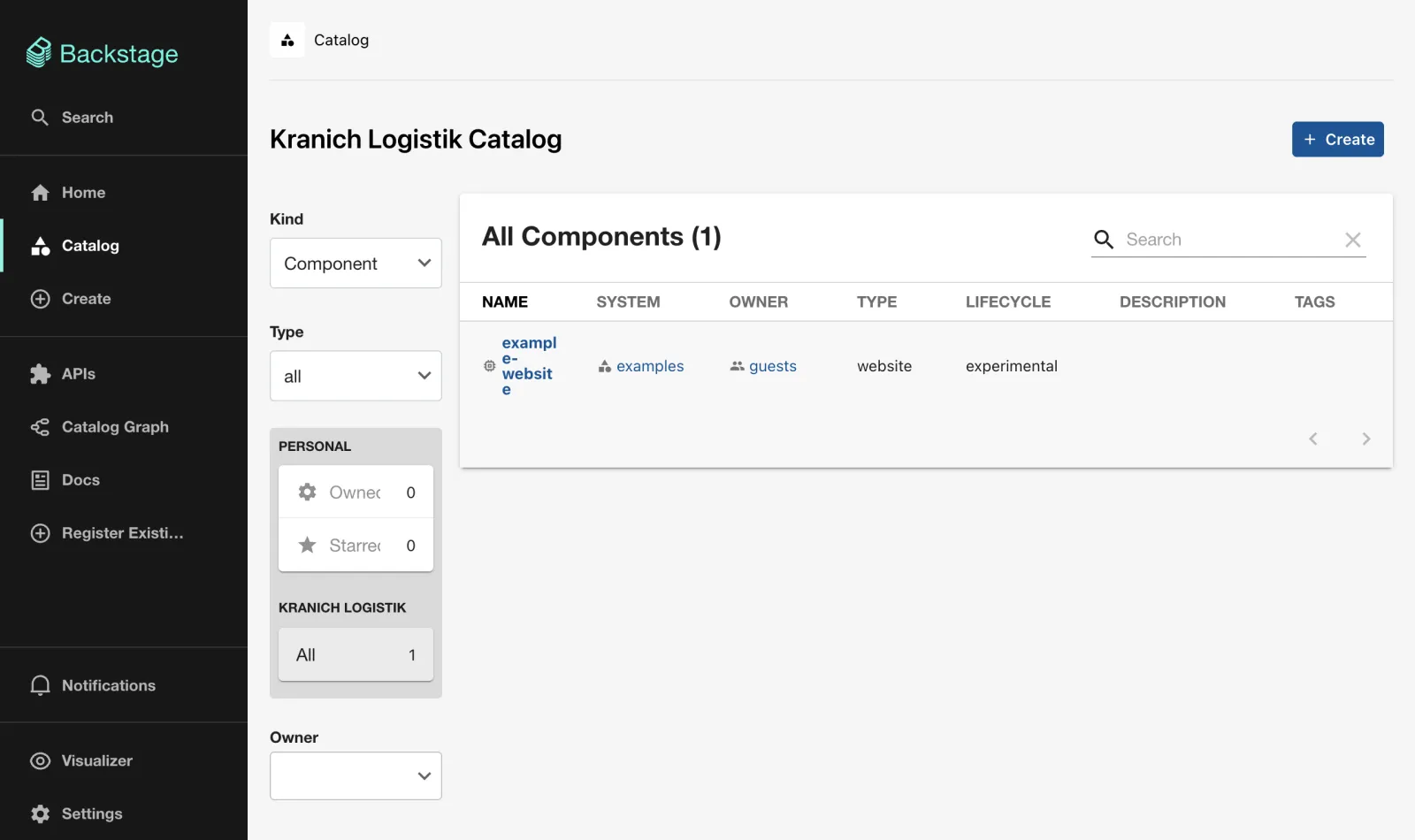
Expected: “All Components (1)” and in the address bar (decoded, wrapped):
/?filters[kind]=component&filters[owners]=group:default/guests
  &filters[lifecycles]=experimental&filters[user]=all&limit=20
Why? Every filter ends up in the URL – filtered views can be shared
as a link. The example data comes from examples/ (static
catalog.locations in app-config.yaml, Day
3).
Save your progress? Sign up for free
Drill 2: Register Existing Component
The file catalog-info.yaml in
kranich/sendungs-api describes a Component and an API. In
the GUI you register it with the Forgejo URL of the file
(…/src/branch/main/… is the Forgejo counterpart to GitHub’s
…/blob/main/…).
- Click Register Existing Component in the sidebar.
- Enter under URL:
http://127.0.0.1:3300/kranich/sendungs-api/src/branch/main/catalog-info.yaml
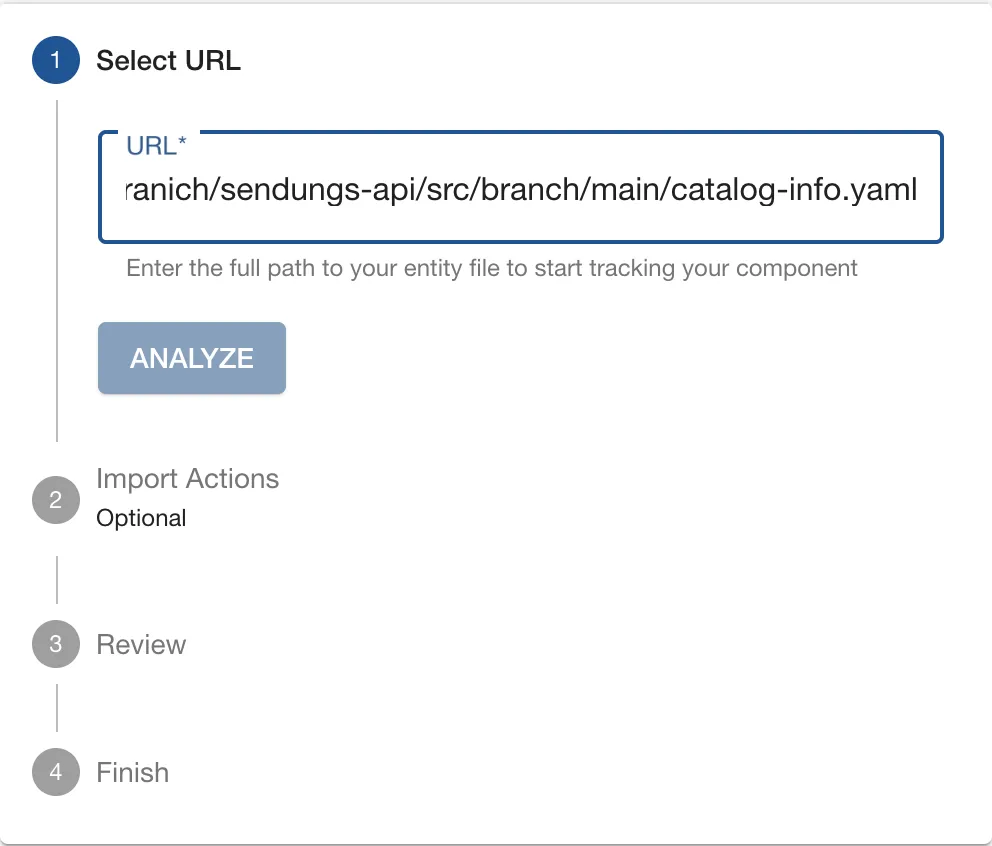
- Click ANALYZE. Expected: the
Review step lists the location and three entities – API
sendungs-api, Componentsendungs-apiand a Locationgenerated-….
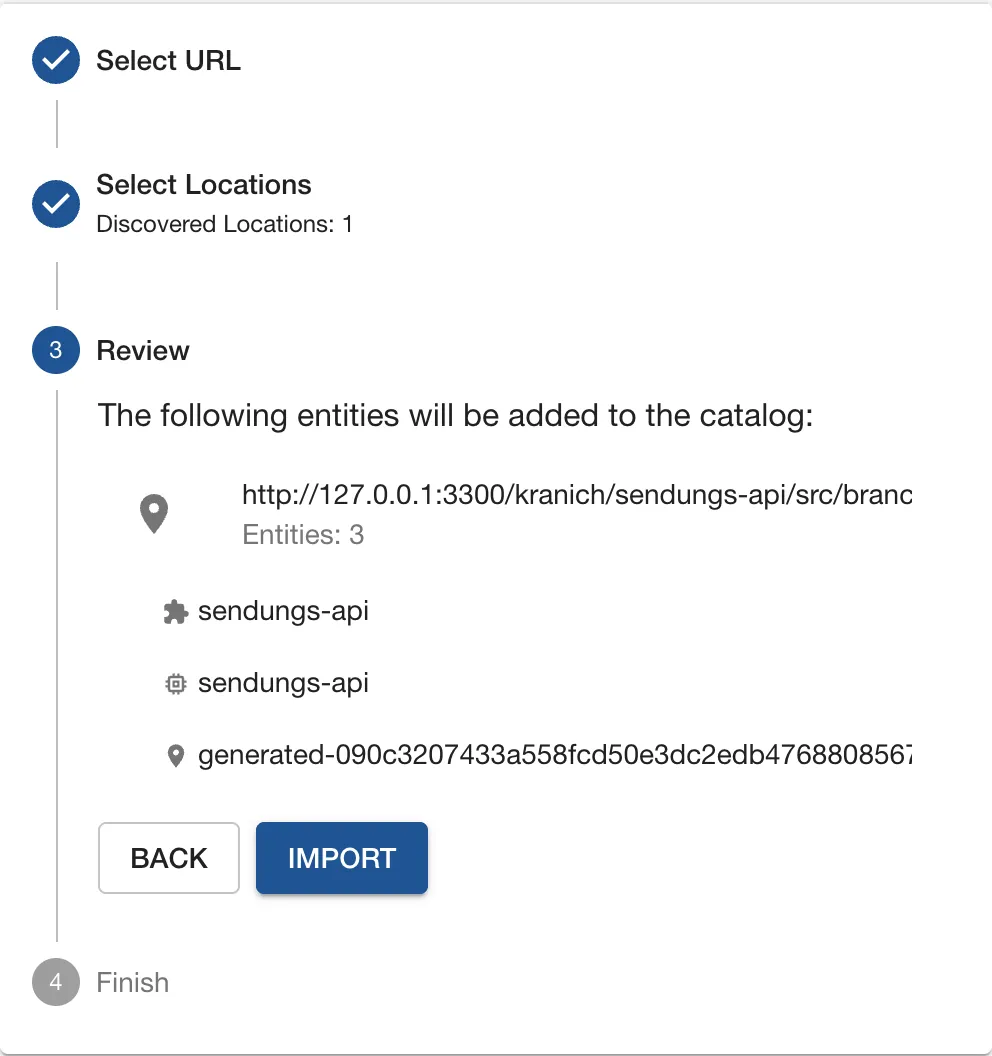
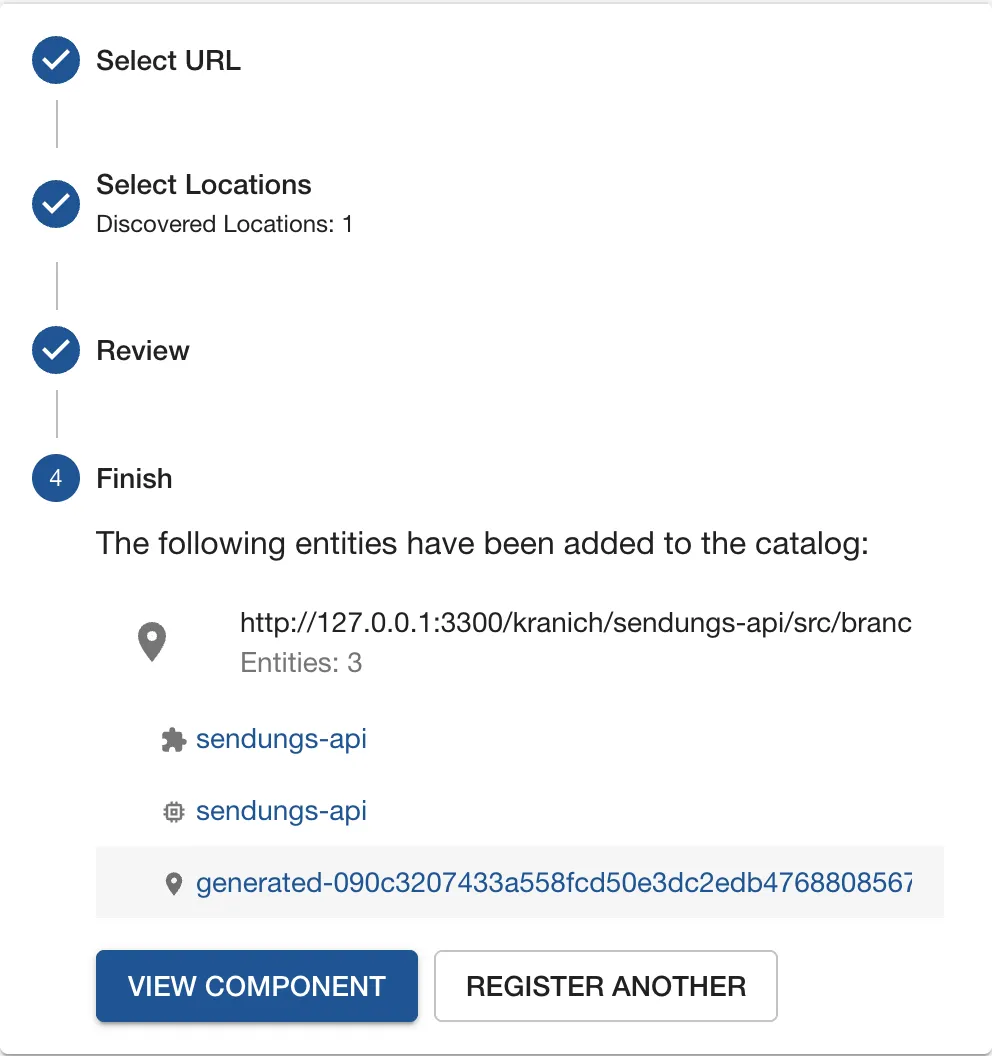
- Click IMPORT. Expected: the Finish step with VIEW COMPONENT and REGISTER ANOTHER.
Why does this work without a plugin? Backstage reads the file via the
integrations.gitea entries from
app-config.local.yaml with the token of
backstage-bot. The “GitHub only” note on the right only
applies to the repository variant (search the whole repo and create a
pull request if needed) – for Forgejo you always enter the full file
URL.
Warning: VIEW COMPONENT jumps to the first entity in the file – here to the API
sendungs-api, not to the Component. Look forAPI • openapiat the top.
Save your progress? Sign up for free
Drill 3: The Entity Page
- Click Catalog in the sidebar and then
sendungs-apiin the table. - Expected: the entity page as in the figure – header with
Component • service, Lifecycle and Owner, below it the tabs Overview, TechDocs and APIs.
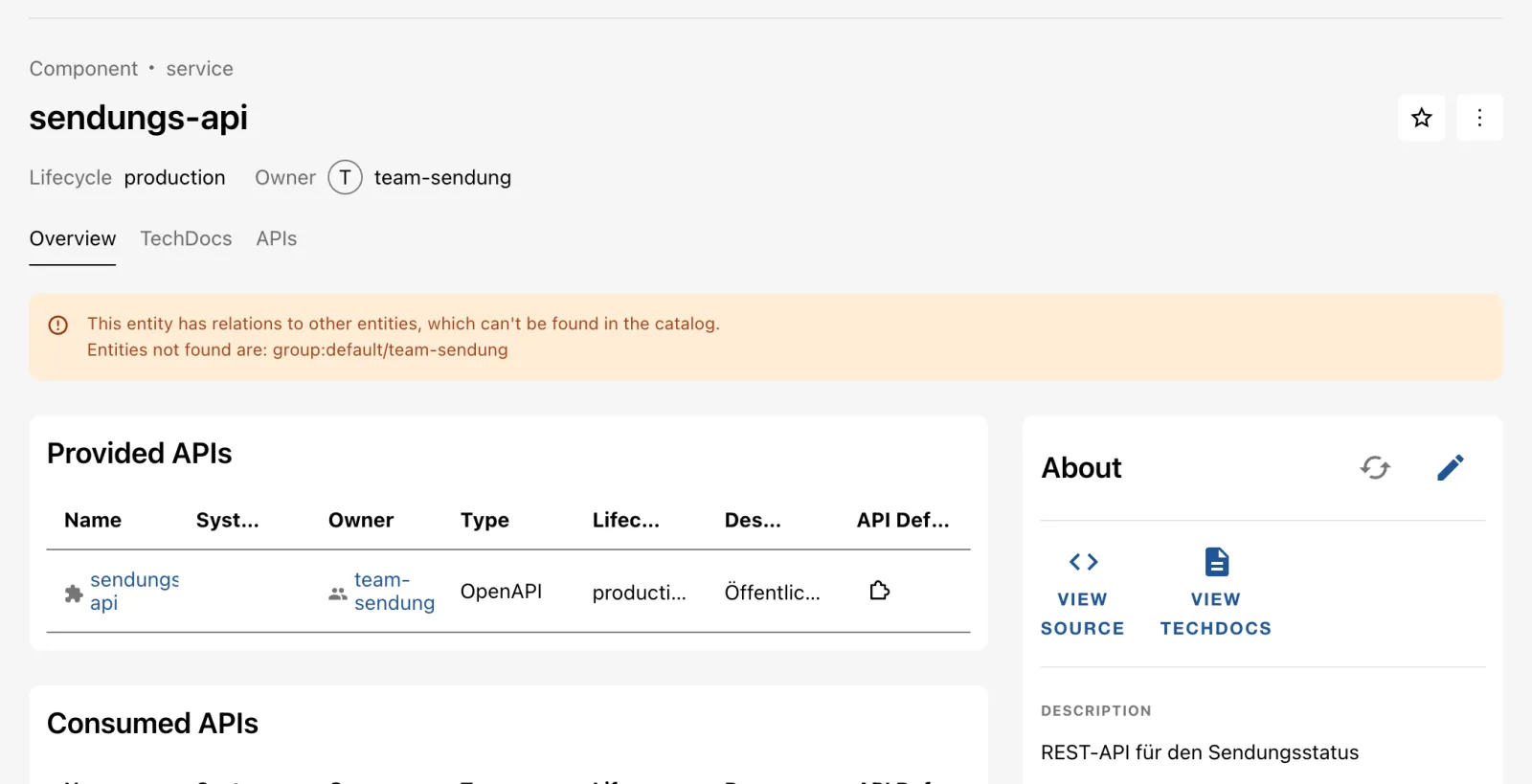
The parts of the page:
- About card: description, owner, system, tags, kind,
type, lifecycle from the YAML file. VIEW SOURCE opens
the repo in Forgejo, the circular arrow schedules a refresh (Drill 8),
the pencil (Edit Metadata) opens
catalog-info.yamlin the Forgejo editor. - Provided APIs: the relation
providesApis: [sendungs-api]as a table. - Relations (further down): the same relations as a mini graph.
- APIs tab: provided and consumed APIs on a page of their own. We set up the TechDocs tab on Day 7.
The yellow warning “This entity has relations to other entities,
which can’t be found in the catalog. Entities not found are:
group:default/team-sendung” is intended:
owner: team-sendung refers to a group that does not exist
yet. You create the groups on Day 4 – then the warning disappears.
Save your progress? Sign up for free
Drill 4: The API Page with OpenAPI
- In the Provided APIs card, click
sendungs-api(puzzle icon). - Click the Documentation tab and then Definition in the menu.
- Expected: the OpenAPI view as in the figure, with the endpoint
GET /sendungen/{id}. The Raw sub-tab shows the raw YAML.
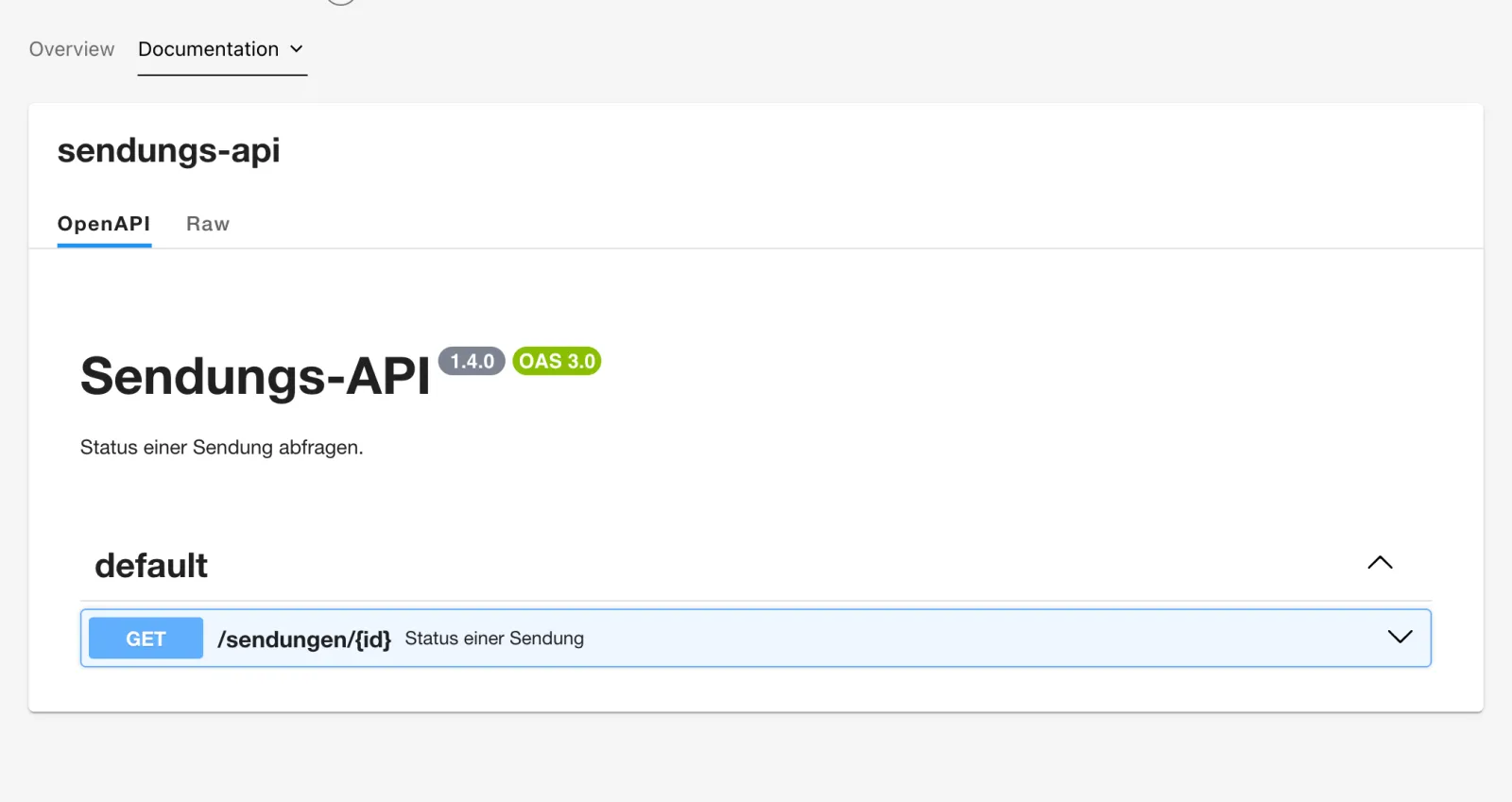
Why is the specification in the catalog?
catalog-info.yaml contains
definition: { $text: ./openapi.yaml } – the catalog loads
the file relative to the location and stores it in
spec.definition. The Overview view shows
the same definition plus Consumers and
Providers. APIs in the sidebar gives
you all APIs at a glance.
Save your progress? Sign up for free
Drill 5: Registering a Second Component via the API
What IMPORT does in the GUI is a single API call.
You register tracking-web like this with the lab token
(bs from env.sh):
URL=$FORGEJO/kranich/tracking-web/src/branch/main/catalog-info.yaml
bs catalog/locations -X POST -H 'Content-Type: application/json' \
  -d "{\"type\":\"url\",\"target\":\"$URL\"}" \
  | jq '{location: .location.entityRef, entities}'
Expected (hash differs):
{
  "location": "location:default/generated-db94e7dc525bf019d6d06a7c893a31005721c2c9",
  "entities": []
}
entities is empty because processing runs
asynchronously. A few seconds later:
bs 'catalog/entities?filter=kind=component' | jq -r '.[].metadata.name' | sort
bs catalog/locations | jq -r '.[].data.target'
Expected:
example-website
sendungs-api
tracking-web
http://127.0.0.1:3300/kranich/sendungs-api/src/branch/main/catalog-info.yaml
http://127.0.0.1:3300/kranich/tracking-web/src/branch/main/catalog-info.yaml
Tip: With
?dryRun=trueoncatalog/locations, Backstage checks the file without creating anything – handy in CI pipelines.
Save your progress? Sign up for free
Drill 6: Catalog Graph and Favorites
tracking-web declares
consumesApis: [sendungs-api]. The Catalog Graph shows the
connection:
- Open the entity page of the component
sendungs-apiand click View graph in the Relations card. - The graph page opens with MAX DEPTH
1– only the API is visible. Set MAX DEPTH to2. - Expected: three nodes as in the figure. The root entity is highlighted in red.

Clicking a node makes it the new root; Shift-click opens its entity page. Now the favorite:
- Go back to the component
sendungs-apiand click the star at the top right (Add to favorites). - Click Catalog and, on the left under PERSONAL, Starred.
- Expected: “Starred Components (1)” as in the figure.
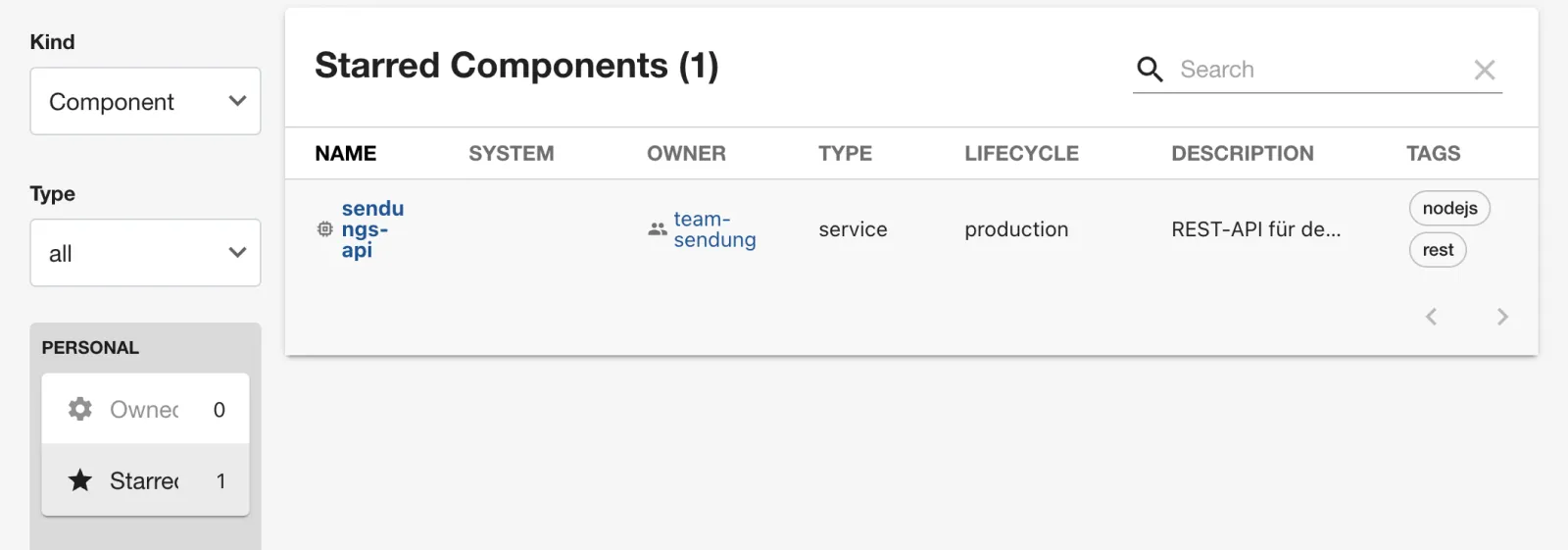
Why? Stars are personal settings of the identity
user:development/guest. The backend plugin
user-settings stores them in
data/user-settings.sqlite – so they survive switching
browsers and restarts. Owned stays at 0 because the
guest does not belong to any group – Day 4 changes that.
Save your progress? Sign up for free
Drill 7: The Same Data via the API
Filters in the URL correspond to the catalog API. Within one
filter, AND applies (comma); the API combines multiple
filter parameters with OR.
F='fields=metadata.name,spec.owner'
bs "catalog/entities?filter=kind=component,spec.lifecycle=production&$F" | jq -c '.[]'
bs 'catalog/entities?filter=kind=api&filter=spec.type=website' \
  | jq -r '.[] | "\(.kind) \(.metadata.name)"'
Expected:
{"metadata":{"name":"sendungs-api"},"spec":{"owner":"team-sendung"}}
{"metadata":{"name":"tracking-web"},"spec":{"owner":"team-web"}}
API example-grpc-api
API sendungs-api
Component tracking-web
Component example-website
You fetch a single entity via the entity reference
kind/namespace/name:
bs catalog/entities/by-name/component/default/sendungs-api | jq '{
  description: .metadata.description,
  relations: [.relations[] | "\(.type) -> \(.targetRef)"] }'
Expected:
{
  "description": "REST-API für den Sendungsstatus",
  "relations": [
    "ownedBy -> group:default/team-sendung",
    "providesApi -> api:default/sendungs-api"
  ]
}
The counters in the filter bar come from the facets:
bs 'catalog/entity-facets?facet=kind' | jq -c '.facets.kind[] | [.value, .count]'Expected:
["API",2]
["Component",3]
["Group",1]
["Location",5]
["System",1]
["Template",1]
["User",1]
Five locations: three from app-config.yaml, two
registered by you. With facet=spec.owner or
facet=metadata.tags you get the values of the other
filters.
Save your progress? Sign up for free
Drill 8: Refresh in the GUI and via the API
Backstage rereads every location roughly every two minutes. A refresh is faster. First a change in Forgejo:
mkdir -p ~/backstage-lab/tag01 && cd ~/backstage-lab/tag01
git clone -q http://lab-admin:[email protected]:3300/kranich/sendungs-api.git
cd sendungs-api
sed -i '' \
  's/REST-API für den Sendungsstatus/REST-API für Sendungsstatus und Zustellprognose/' \
  catalog-info.yaml
git -c user.name="Lab Admin" -c [email protected] \
  commit -qam "Beschreibung erweitert" && git push -q origin main
bs catalog/entities/by-name/component/default/sendungs-api | jq -r .metadata.description
Expected – the catalog still knows the old state (“REST API for the shipment status”):
REST-API für den Sendungsstatus- Open the component
sendungs-api. - In the About card, click the circular arrow (Schedule entity refresh). Expected: the message “Refresh scheduled”.
- Reload the page after a few seconds. Expected: DESCRIPTION shows “REST-API für Sendungsstatus und Zustellprognose” (“REST API for shipment status and delivery forecast”).
The same via the API, this time with a new tag for
tracking-web:
cd ~/backstage-lab/tag01
git clone -q http://lab-admin:[email protected]:3300/kranich/tracking-web.git
cd tracking-web
sed -i '' 's/tags: \[web\]/tags: [web, kunde]/' catalog-info.yaml
git -c user.name="Lab Admin" -c [email protected] \
  commit -qam "Tag kunde" && git push -q origin main
bs catalog/refresh -X POST -H 'Content-Type: application/json' \
  -d '{"entityRef":"component:default/tracking-web"}' -w '%{http_code}\n'
sleep 3
bs catalog/entities/by-name/component/default/tracking-web | jq -c .metadata.tags
Expected:
200
["web","kunde"]
Why? A refresh moves the entity to the front of the processing queue. Backstage rereads the source file in the process. The repo itself is the source of truth – the catalog has no editing in the GUI.
Save your progress? Sign up for free
Checkpoint
cat > ~/backstage-lab/tag01/kontrolle.sh <<'EOF'
#!/usr/bin/env bash
# kontrolle.sh – checkpoint Day 1 (✔/✘). Exit code = number of failures.
source ~/backstage-lab/setup/env.sh
fail=0
t() { if eval "$2" >/dev/null 2>&1; then echo "✔ $1"
  else echo "✘ $1"; fail=$((fail+1)); fi; }
e() { bs "catalog/entities/by-name/$1"; }

t "Component sendungs-api im Katalog" "e component/default/sendungs-api"
t "API sendungs-api im Katalog" "e api/default/sendungs-api"
t "Component tracking-web im Katalog" "e component/default/tracking-web"
t "tracking-web konsumiert die API" \
  "e component/default/tracking-web | jq -e '.relations[] |
     select(.type==\"consumesApi\" and .targetRef==\"api:default/sendungs-api\")'"
t "Neue Beschreibung angekommen (Refresh)" \
  "e component/default/sendungs-api | jq -e '.metadata.description | test(\"Zustell\")'"
t "Zwei Forgejo-Locations registriert" \
  "[ \$(bs catalog/locations | jq '[.[].data.target | select(test(\"/kranich/\"))]
     | length') -ge 2 ]"
exit "$fail"
EOF
bash ~/backstage-lab/tag01/kontrolle.sh
Expected:
✔ Component sendungs-api im Katalog
✔ API sendungs-api im Katalog
✔ Component tracking-web im Katalog
✔ tracking-web konsumiert die API
✔ Neue Beschreibung angekommen (Refresh)
✔ Zwei Forgejo-Locations registriert
Challenge
Create the repo kranich/zustell-worker from
~/backstage-lab/code/tag01/zustell-worker, register it in
the GUI via Register Existing Component, and then use
the API to find all components with lifecycle
experimental.
Hint: mkrepo.sh from
setup/ creates the repo; the filter combines
kind and spec.lifecycle with a comma.
Solution
~/backstage-lab/setup/mkrepo.sh kranich/zustell-worker \
  ~/backstage-lab/code/tag01/zustell-worker
Expected:
✔ kranich/zustell-worker angelegt (http://127.0.0.1:3300/kranich/zustell-worker)In the GUI: Register Existing Component →
URL
http://127.0.0.1:3300/kranich/zustell-worker/src/branch/main/catalog-info.yaml
→ ANALYZE → IMPORT. The Review step
shows “Entities: 2” (Component and Location). Then:
F='fields=metadata.name,spec.owner'
bs "catalog/entities?filter=kind=component,spec.lifecycle=experimental&$F" | jq -c '.[]'
Expected:
{"metadata":{"name":"zustell-worker"},"spec":{"owner":"team-sendung"}}
{"metadata":{"name":"example-website"},"spec":{"owner":"guests"}}
In the GUI, Lifecycle experimental
returns the same two rows. In the Catalog Graph of the API,
zustell-worker now hangs as a second consumer.
Save your progress? Sign up for free
Enterprise Note
- “Register Existing Component” is meant for individual cases. In production, entity providers discover all repos of an org automatically (Gitea provider on Day 3, for GitHub/GitLab the respective discovery modules).
- Who may register in the GUI is governed by permissions
(
catalog.location.create, Day 12). Otherwise anyone can have arbitrary URLs ingested. - The integration only needs read access. For the catalog, a token
with
read:repositoryis enough. Only the Scaffolder needs write permissions. - File URLs on other platforms: GitHub
…/<org>/<repo>/blob/main/catalog-info.yaml, GitLab…/<gruppe>/<repo>/-/blob/main/catalog-info.yaml. The wizard offers the repository variant with an automatic pull request only for GitHub. - The refresh interval (
catalog.processingInterval) and API rate limits of the Git platform are related. With thousands of repos, prefer webhooks/events over short intervals.