Day 15: Competition: Disaster Drills
Goal: You find and fix eight typical portal outages under time pressure – from a revoked token to a vanished database. · Duration: approx. 120 min · Prerequisite: Day 14
Briefing
- A script plants one fault at a time in your lab:
sabotage.sh <n>. Withsabotage.sh <n> --resetit is gone again;sabotage.sh reset-allcleans up everything. - For each scenario: read the Situation, start the clock, look at the Symptom, prove the cause with the Diagnosis, apply the Fix, run the counter-check.
- Try it yourself first, then read the diagnosis and fix in the book. At the end, you enter your times in the scoring table.
- Rule of thumb: narrow it down first (browser, backend, catalog, Forgejo, database), then look into the log of exactly that layer.
Browser ─ Frontend :3000 ─ Backend :7007 ─┬─ Catalog ──── Gitea provider ┐
404, login  app.extensions  log, HTTP 500 ├─ Scaffolder ─ publish:gitea ─┼─► Forgejo
                                          ├─ TechDocs ── mkdocs (venv) ──┘   :3300
                                          └─ PostgreSQL :5432 (bs-postgres)
The prerequisite is the state at the end of Day 14: Gitea provider,
kranich/org, kranich/templates, TechDocs with
venv, home page from Day 9, login and policy from Day 12, PostgreSQL
from Day 13. Before you start, the training ground must be green:
source ~/backstage-lab/setup/env.sh
mkdir -p ~/backstage-lab/tag15 && cd ~/backstage-lab/tag15
docker start bs-postgres >/dev/null && ~/backstage-lab/setup/portal.sh start
~/backstage-lab/setup/check.sh | tail -3
~/backstage-lab/code/tag15/sabotage.sh status
Expected (instead of the first line possibly “✔ läuft bereits: …”, i.e. already running):
✔ Backstage läuft: http://localhost:3000 (Backend http://localhost:7007)
✔ Backend bereit (http://localhost:7007)
✔ Frontend erreichbar (http://localhost:3000)
✔ Katalog-API mit Lab-Token
✔ Status gezeigt
The script only writes into your lab: Forgejo (repos, team, token),
the local file, the venv and the Postgres container. All commands below
assume a terminal with env.sh loaded. Shorthand for the
drills:
alias sabotage=~/backstage-lab/code/tag15/sabotage.shDrill 1: The bot can’t get in anymore
Time limit: 10 min
Situation: Monday morning. Someone “cleaned up old
tokens” in Forgejo. Since then, changes to
catalog-info.yaml no longer arrive in the portal.
sabotage 1Expected:
✔ Szenario 1 ausgelöst – viel ErfolgSymptom: After a minute at most, every entity from Forgejo shows a red error card, as in the figure. The data itself is still there – the catalog keeps the last good state.
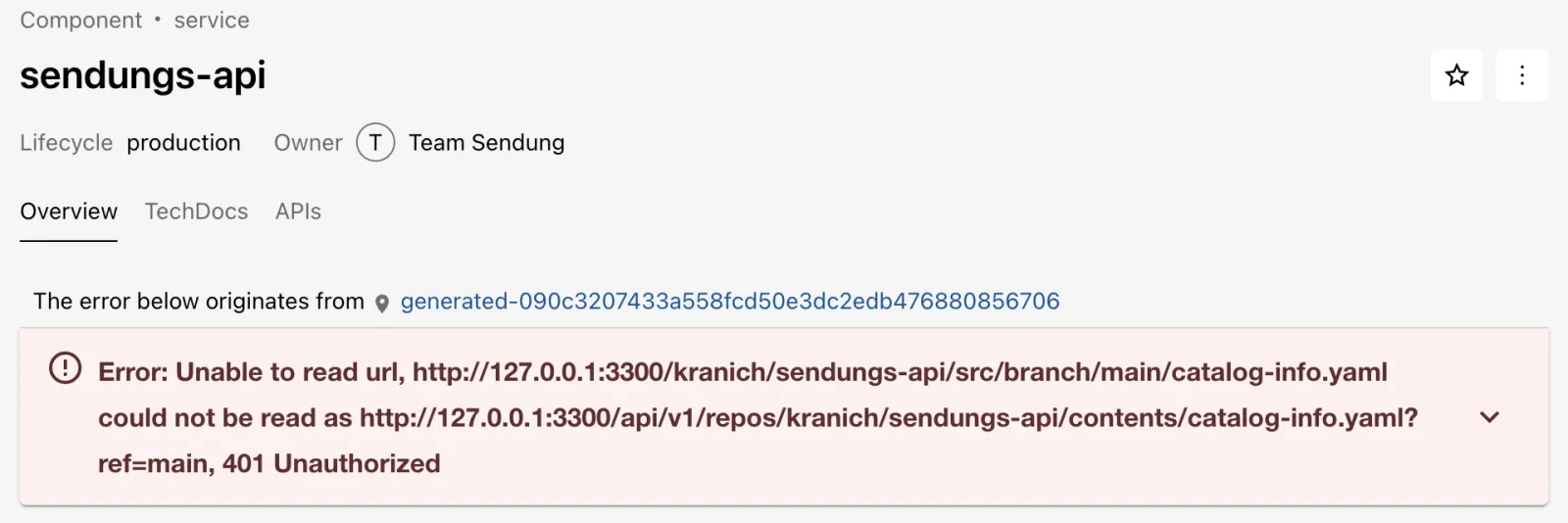
Diagnosis: How many locations are affected, and what does the provider say?
bs 'catalog/entities?filter=kind=location' \
  | jq -r '.[].status.items[]?.message' | grep -o '[0-9]* Unauthorized' | uniq -c
~/backstage-lab/setup/portal.sh logs 300 | sed 's/\x1b\[[0-9;]*m//g' \
  | grep -o 'Failed to fetch page [^,]*, status: [0-9]*' | tail -1
Expected (the number depends on your catalog):
   6 401 Unauthorized
Failed to fetch page 1 of repos, status: 401
401 means: Forgejo doesn’t know the sender. Counter-check with the token the portal uses:
curl -s -H "Authorization: token $FORGEJO_TOKEN" "$FORGEJO/api/v1/user" \
  | jq -r .message | grep -o 'access token does not exist'
Expected:
access token does not existFix: Create a new token (up.sh creates
one if the file is missing), reload env.sh and restart the
portal – the configuration reads ${FORGEJO_TOKEN} only at
startup.
rm ~/backstage-lab/setup/forgejo-token
~/backstage-lab/setup/up.sh
source ~/backstage-lab/setup/env.sh
curl -s -o /dev/null -w '%{http_code}\n' -H "Authorization: token $FORGEJO_TOKEN" \
  "$FORGEJO/api/v1/user"
~/backstage-lab/setup/portal.sh restart
sleep 30
bs 'catalog/entities?filter=kind=location' | jq '[.[].status.items[]?] | length'
sabotage 1 --reset
Expected:
✔ Forgejo läuft: http://127.0.0.1:3300 (lab-admin / lab-admin-pw-123)
200
✔ gestoppt
✔ Backstage läuft: http://localhost:3000 (Backend http://localhost:7007)
0
✔ Szenario 1 zurückgesetzt
Why not 403? 403 would mean “known, but not allowed” – that’s Drill 4.
Save your progress? Sign up for free
Drill 2: The team has a new name
Time limit: 10 min
Situation: Team Sendung renamed itself in
kranich/org. Since then, the page of sendungs-api shows a
yellow warning, and Anna no longer sees anything under “Owned”.
sabotage 2Symptom: After about a minute, the entity page of
sendungs-api shows the warning, as in the figure. The owner is now shown
only as the text team-sendung, no longer as the group “Team
Sendung”.
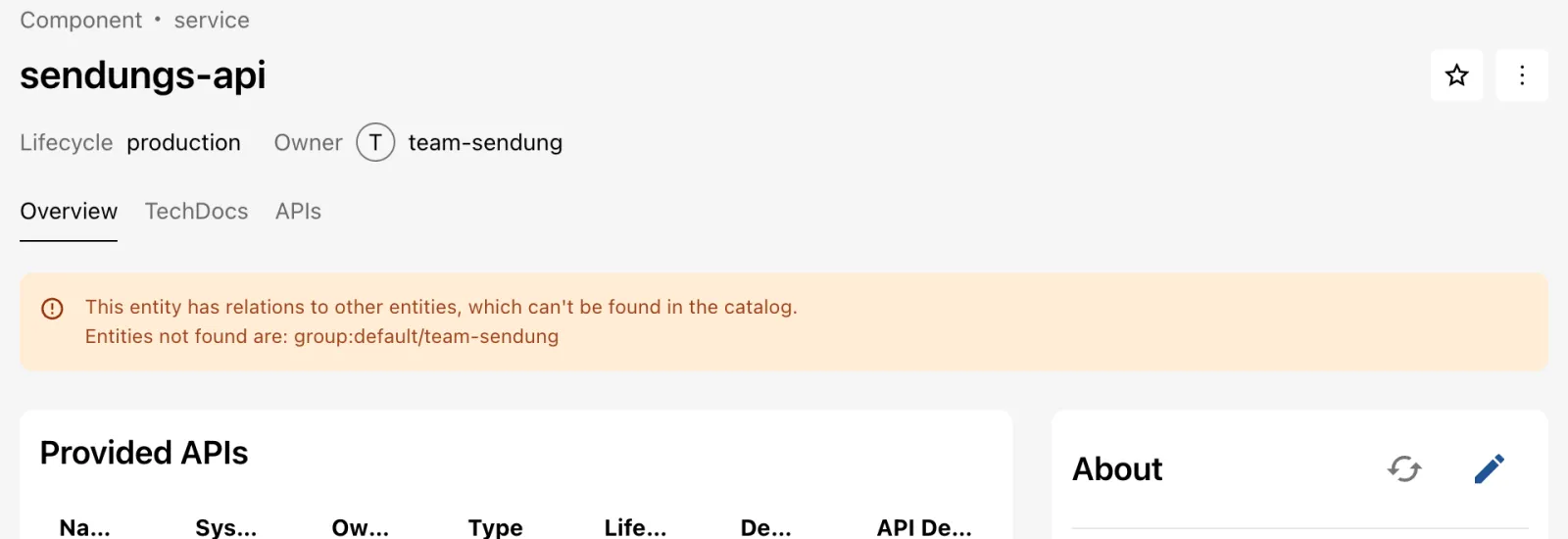
Diagnosis: Which owners are not a group in the
catalog? And who last worked on kranich/org?
bs 'catalog/entities?fields=spec.owner' | jq -r '.[].spec.owner // empty' \
  | sort -u > owner.txt
bs 'catalog/entities?filter=kind=group&fields=metadata.name' \
  | jq -r '.[].metadata.name' | sort > gruppen.txt
comm -23 owner.txt gruppen.txt
curl -sf "$FORGEJO/api/v1/repos/kranich/org/commits?limit=2" \
  | jq -r '.[] | "\(.sha[0:7]) \(.commit.message | split("\n")[0])"'
Expected (SHAs differ):
team-sendung
f700b3d Team Sendung heißt jetzt team-sendungen
fbf3b13 Initialer Stand
Fix: Two ways: update the owner in all repos or roll back the rename. Here the latter is right, because all entities of Team Sendung and two users depend on the old name:
git clone -q http://lab-admin:[email protected]:3300/kranich/org.git org-fix
cd org-fix
git -c user.name="Lab Admin" -c [email protected] revert --no-edit HEAD \
  | head -1
git push -q origin main && cd .. && rm -rf org-fix
sleep 60
bs catalog/entities/by-name/group/default/team-sendung | jq -r .metadata.name
sabotage 2 --reset
Expected:
[main b2e0ada] Revert "Team Sendung heißt jetzt team-sendungen"
team-sendung
✔ Szenario 2 zurückgesetzt
After the rename, the old group was orphaned and deleted, and the relations of the components pointed nowhere. Backstage never renames references automatically.
Save your progress? Sign up for free
Drill 3: The new template doesn’t show up
Time limit: 15 min
Situation: Team Web created a template “Statische
Website” (static website) in its own repo
kranich/vorlagen-web. The Gitea provider finds every repo –
but it does not appear under Create.
sabotage 3Symptom: Even after two minutes,
Create shows only the templates from
kranich/templates, as in the figure. No error in the GUI,
no error card.
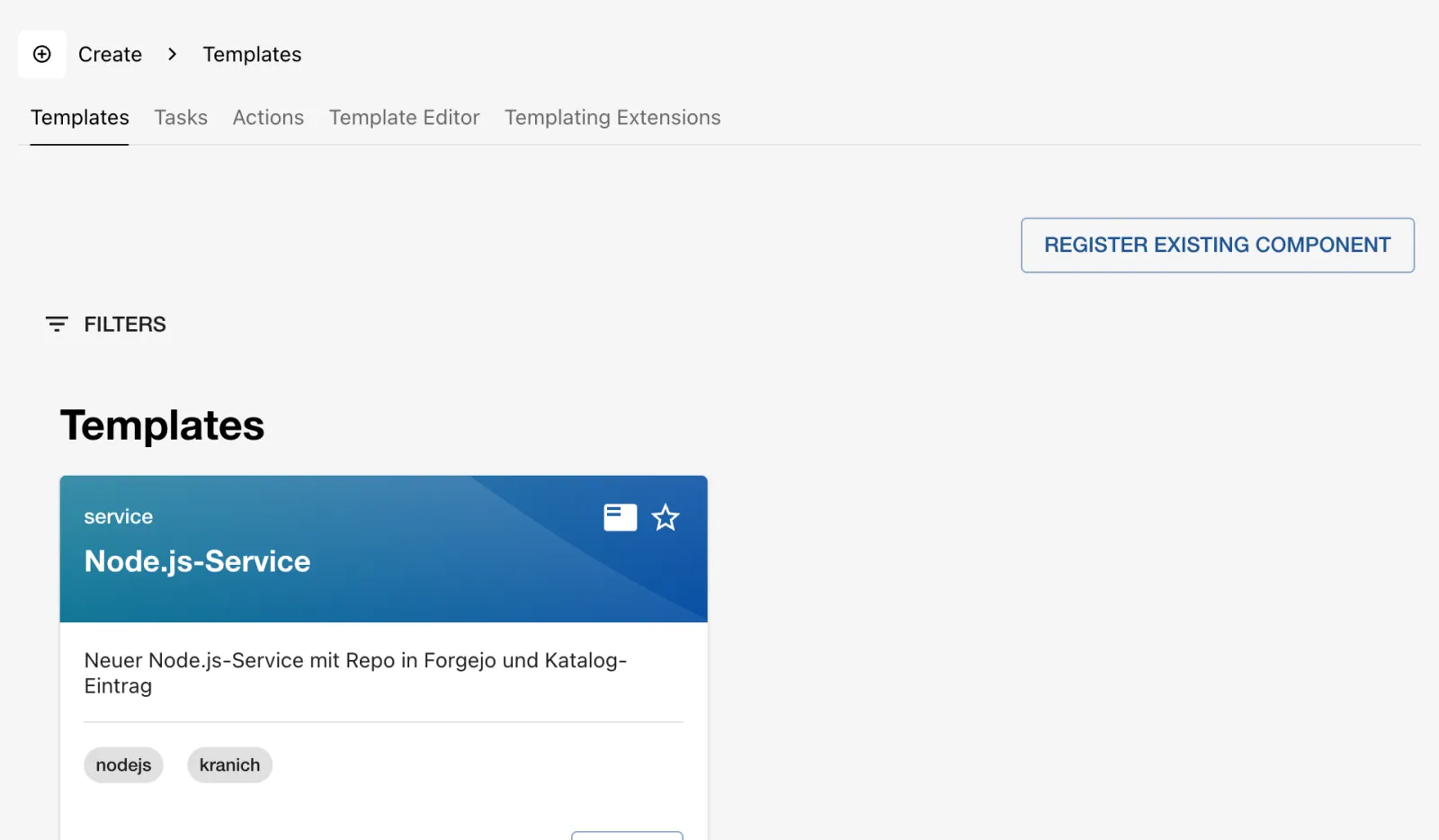
Diagnosis: Neither the template nor its location is in the catalog. When the GUI stays silent, the reason is in the backend log:
bs 'catalog/entities?filter=kind=template' | jq -r '.[].metadata.name'
bs 'catalog/entities?filter=kind=location' | jq -r '.[].spec.target // empty' \
  | grep -c vorlagen
~/backstage-lab/setup/portal.sh logs 300 | sed 's/\x1b\[[0-9;]*m//g' \
  | grep -o 'Entity template:[^ ]*\|is not of an allowed kind' | tail -2
Expected (plus your templates from Day 6):
node-service
0
Entity template:default/statische-website
is not of an allowed kind
The rule from Day 5 allows Template only under
kranich/templates/**.
Fix: Either move the template to
kranich/templates (the clean solution for a central
platform team) or deliberately extend the rule with a pattern for team
repos. Here, the second option:
cd ~/backstage-lab/portal
yq -i '(.catalog.rules[] | select(.allow[] == "Template") | .locations) +=
  [{"type": "url", "pattern": "http://127.0.0.1:3300/kranich/vorlagen-*/**"}]' \
  app-config.local.yaml
yq '.catalog.rules[] | select(.allow[] == "Template")' app-config.local.yaml
~/backstage-lab/setup/portal.sh restart && sleep 45
bs 'catalog/entities?filter=kind=template' | jq -r '.[].metadata.name'
Expected:
allow: [Template]
locations:
  - type: url
    pattern: http://127.0.0.1:3300/kranich/templates/**
  - type: url
    pattern: http://127.0.0.1:3300/kranich/vorlagen-*/**
✔ gestoppt
✔ Backstage läuft: http://localhost:3000 (Backend http://localhost:7007)
node-service
statische-website
sabotage 3 --reset deletes the repo and removes the
pattern from the local file again (effective from the next restart).
Warning:
select(.allow == ["Template"])finds nothing – yq does not compare lists as a whole. Hence.allow[] == "Template".
Save your progress? Sign up for free
Drill 4: The template fails when creating the repo
Time limit: 10 min
Situation: An admin “cleaned up” the teams of the
org kranich in Forgejo. Since then, every golden path
fails. You start the task via the API with the lab token (a service
principal, so the policy from Day 12 does not apply):
sabotage 4
cat > auftrag.json <<'EOF'
{"templateRef": "template:default/node-service",
 "values": {"name": "retouren-api", "description": "Retouren erfassen",
   "owner": "group:default/team-sendung", "port": 8083, "techdocs": false,
   "repoUrl": "127.0.0.1:3300?owner=kranich&repo=retouren-api"}}
EOF
ID=$(bs scaffolder/v2/tasks -X POST -H 'Content-Type: application/json' \
  -d @auftrag.json | jq -r .id)
sleep 15; bs scaffolder/v2/tasks/$ID | jq -r .status
echo "$APP/create/tasks/$ID"
Expected (ID differs):
✔ Szenario 4 ausgelöst – viel Erfolg
failed
http://localhost:3000/create/tasks/2a84c1fa-ba6e-4f6d-ae6e-b15fffcd8323
Symptom: Open the printed URL. Expected: the step Repo in Forgejo anlegen (create repo in Forgejo) is red, with the error message above it, as in the figure.
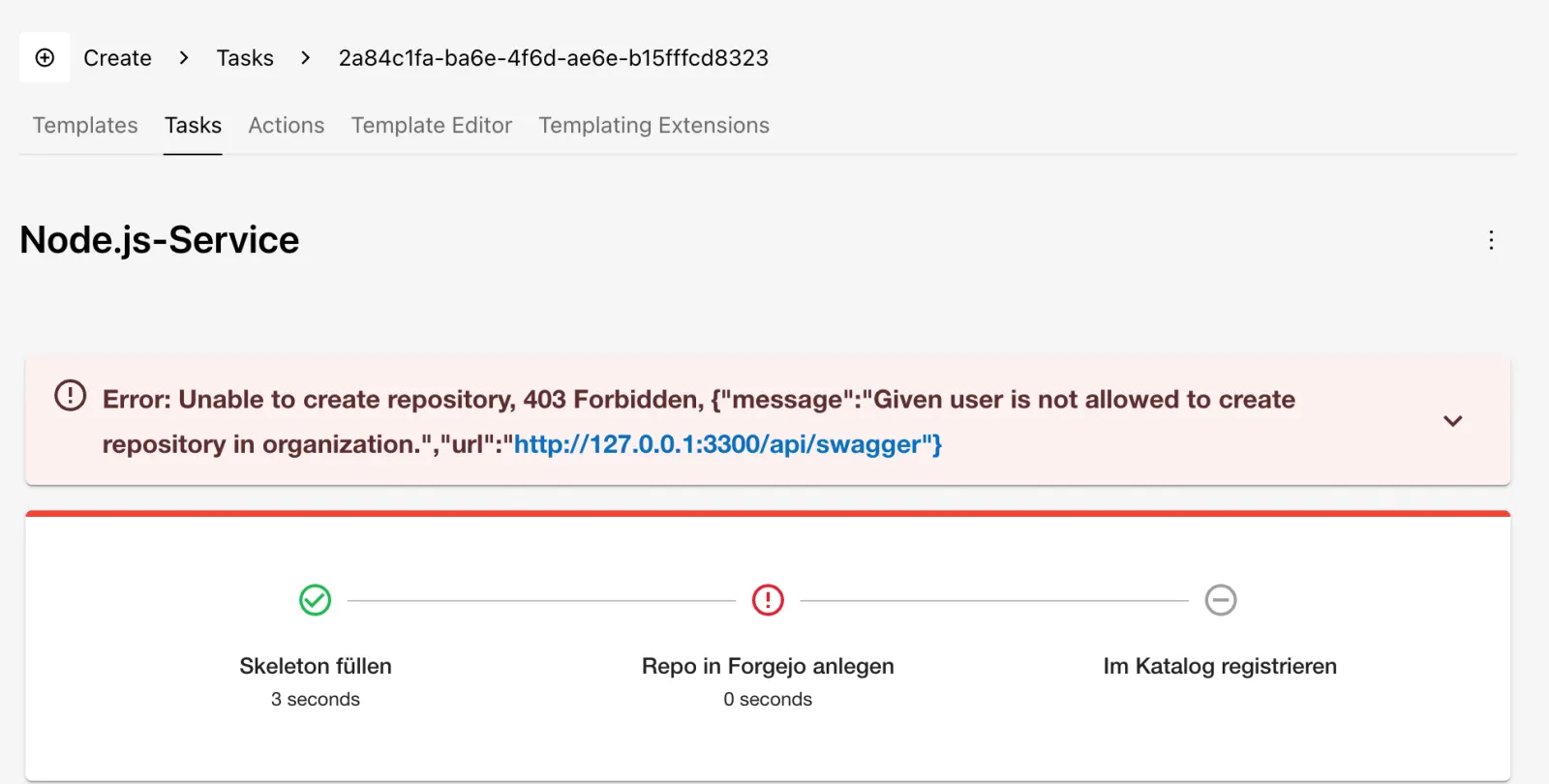
Diagnosis: The same message in the task log, then
ask Forgejo which orgs the bot is a member of and who is in the team
Owners:
bs "scaffolder/v2/tasks/$ID/events" | jq -r '.[] | select(.type=="log")
  | .body.message' | grep -o 'Unable to create repository, 403 Forbidden'
curl -s -H "Authorization: token $FORGEJO_TOKEN" "$FORGEJO/api/v1/user/orgs" \
  | jq -c '[.[].username]'
team=$(curl -sf -u "$ADMIN" "$FORGEJO/api/v1/orgs/kranich/teams" \
  | jq -r '.[] | select(.name=="Owners").id')
curl -sf -u "$ADMIN" "$FORGEJO/api/v1/teams/$team/members" | jq -c '[.[].login]'
Expected:
Unable to create repository, 403 Forbidden
[]
["lab-admin"]
The token is valid (otherwise 401), but the bot lacks the permission
to create repos in kranich. Reading still works because the
repos are public.
Fix: Put the bot back into the team
Owners (seed.sh does that too) and retry the
task:
curl -sf -u "$ADMIN" -X PUT "$FORGEJO/api/v1/teams/$team/members/backstage-bot" \
  -w '%{http_code}\n'
ID=$(bs scaffolder/v2/tasks -X POST -H 'Content-Type: application/json' \
  -d @auftrag.json | jq -r .id)
sleep 15; bs scaffolder/v2/tasks/$ID | jq -r .status
sabotage 4 --reset
Expected:
204
completed
✔ Szenario 4 zurückgesetzt
The reset deletes kranich/retouren-api and its catalog
location again. In the team Owners, the bot may do more
than necessary – in production, a dedicated team with “create repos” is
enough (Enterprise Note).
Save your progress? Sign up for free
Drill 5: The home page is gone
Time limit: 10 min
Situation: A colleague only wanted to rename the
page “App-Struktur” locally and wrote an app.extensions
block into the local file for that. The script restarts the portal.
sabotage 5Expected:
• Portal wird neu gestartet …
✔ Szenario 5 ausgelöst – viel Erfolg
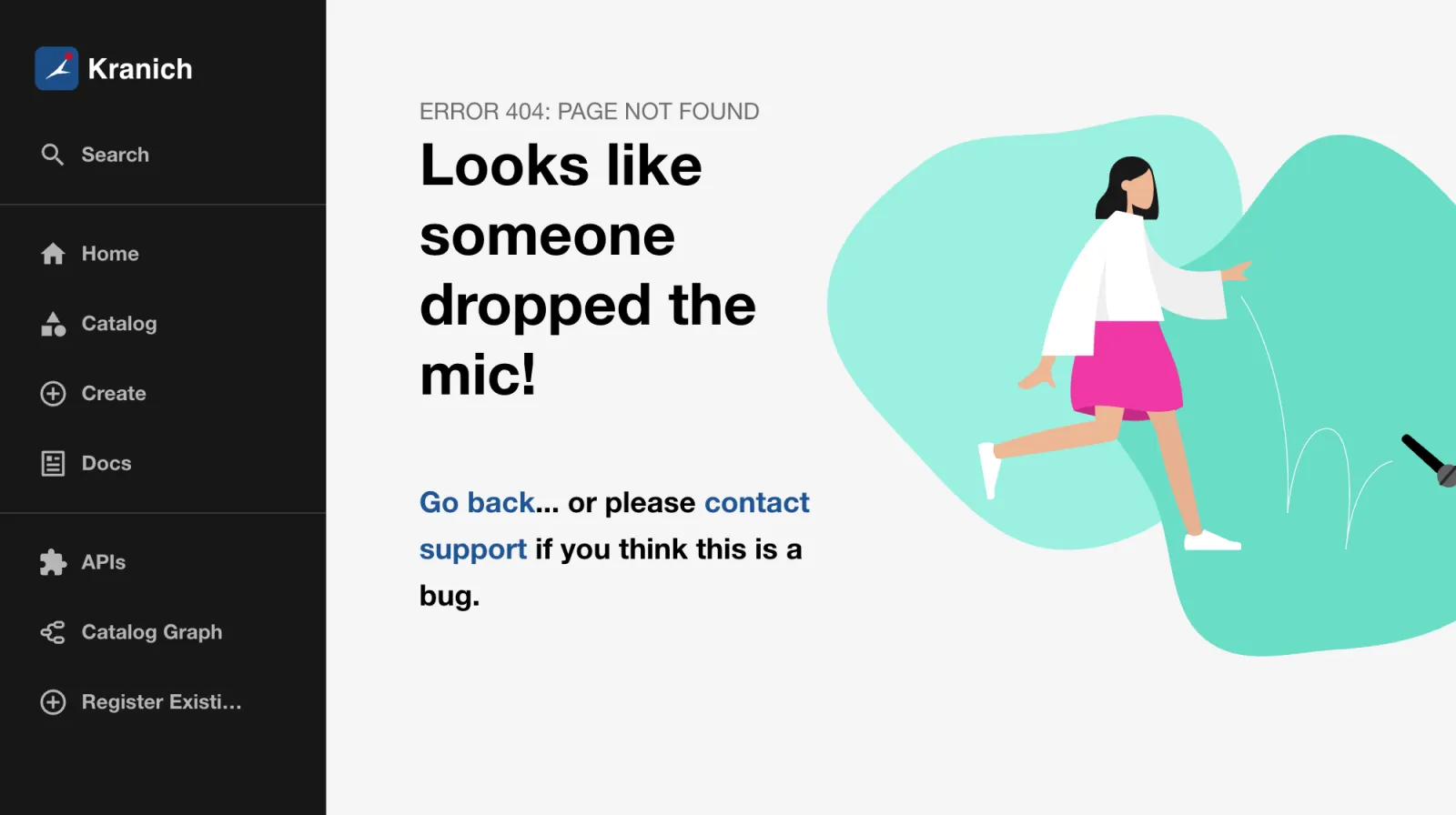
Symptom: http://localhost:3000/ shows
the 404 page, as in the figure. The catalog under /catalog
still works. curl $APP/ still returns 200 – the 404 only
arises in the browser, when the app’s routing finds no page for
/.
Diagnosis: Which file defines
app.extensions, and what reaches the frontend after
merging?
cd ~/backstage-lab/portal
grep -n 'extensions:' app-config*.yaml
yarn backstage-cli config:print --frontend --lax 2>/dev/null | yq '.app.extensions'
Expected:
app-config.local.yaml:3:  extensions:
app-config.yaml:8:  extensions:
- page:app-visualizer:
    config:
      title: Struktur
When merging, lists are not combined but replaced (Day 9): of your
extensions from app-config.yaml, only the single one from
the local file remains. page:home with path: /
is gone.
Fix: Remove the block from the local file (the
rename belongs in the list in app-config.yaml), restart,
reload the page:
yq -i 'del(.app.extensions)' app-config.local.yaml
~/backstage-lab/setup/portal.sh restart
sabotage 5 --reset
Expected: the home page from Day 9 at
http://localhost:3000/.
✔ gestoppt
✔ Backstage läuft: http://localhost:3000 (Backend http://localhost:7007)
✔ Szenario 5 zurückgesetzt
Save your progress? Sign up for free
Drill 6: TechDocs no longer builds
Time limit: 10 min
Situation: After a Python update, “TechDocs doesn’t work anymore”. The portal serves already built pages from storage; nothing new gets built.
sabotage 6Symptom: The TechDocs tab of sendungs-api rebuilds the docs and reports an error after a few seconds, as in the figure – similar to the Docker failure from Day 7, just with a different cause.
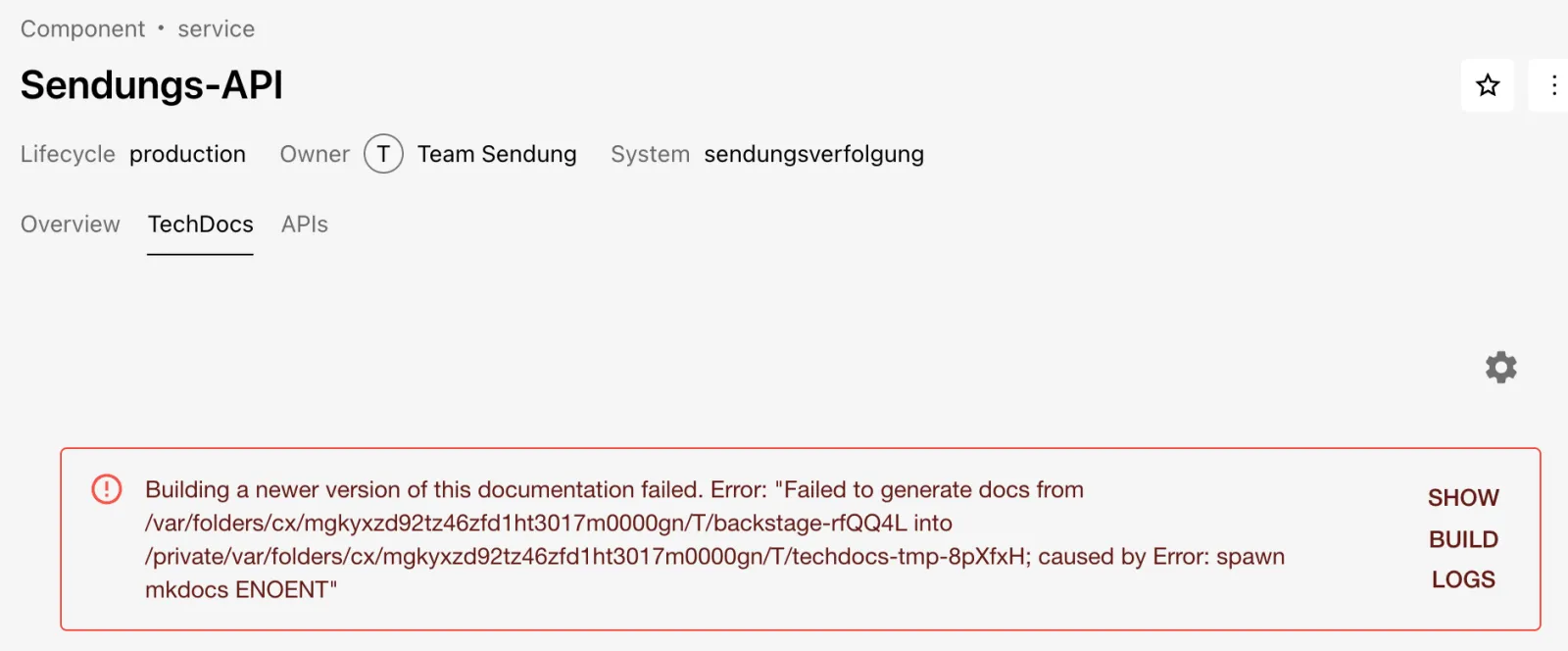
Diagnosis: Trigger the build without a browser (Day 7) and look for the generator:
bs techdocs/sync/default/component/sendungs-api -N \
  | grep -o 'spawn mkdocs ENOENT' | head -1
command -v mkdocs || echo "mkdocs: nicht gefunden"
ls ~/backstage-lab/venv/bin | grep mkdocs
pip show mkdocs | grep -E '^(Version|Location)'
Expected (the Python version may differ):
spawn mkdocs ENOENT
mkdocs: nicht gefunden
mkdocs-get-deps
Version: 1.6.1
Location: /Users/<du>/backstage-lab/venv/lib/python3.14/site-packages
ENOENT on spawn means: the program is not
in the backend’s PATH. The package is installed; only the
launcher script venv/bin/mkdocs is missing.
Tip: If
techdocs/syncreturns only{"updated":false}without a log, wait a minute: after a successful build, TechDocs checks the same entity again at most once per minute.
Fix: Reinstall the package without dependencies –
pip recreates the launcher script. No restart is needed; the backend
looks for mkdocs anew on every build.
pip install -q --force-reinstall --no-deps \
  "mkdocs==$(pip show mkdocs | awk '/^Version/{print $2}')"
command -v mkdocs
bs techdocs/sync/default/component/sendungs-api -N | grep -A1 'event: finish'
sabotage 6 --reset
Expected:
/Users/<du>/backstage-lab/venv/bin/mkdocs
event: finish
data: {"updated":true}
✔ Szenario 6 zurückgesetzt
Save your progress? Sign up for free
Drill 7: The database is gone
Time limit: 5 min
Situation: After lunch, the portal “hangs”.
According to portal.sh the backend is running, but nothing
loads anymore.
sabotage 7Symptom: Reload the portal in the browser and click Enter on Guest. Sign-in fails with the misleading message shown in the figure (in development mode as a red error overlay). Anyone still signed in sees empty lists and error notices.

Diagnosis: Readiness only checks whether the backend has started up – not whether the database responds. The APIs, on the other hand, return 500:
~/backstage-lab/setup/portal.sh status
curl -s -o /dev/null -w '%{http_code}\n' -H "Authorization: Bearer $BACKSTAGE_TOKEN" \
  "$BACKSTAGE/api/catalog/entities?limit=1"
~/backstage-lab/setup/portal.sh logs 1000 | sed 's/\x1b\[[0-9;]*m//g' \
  | grep -o 'GET /api/auth/guest/refresh HTTP/1.1" 500\|ECONNREFUSED [0-9.:]*' \
  | sort | uniq -c
docker ps -a --filter name=bs-postgres --format '{{.Names}}: {{.Status}}'
Expected (numbers and times differ):
✔ läuft: http://localhost:3000
500
    948 ECONNREFUSED 127.0.0.1:5432
      2 GET /api/auth/guest/refresh HTTP/1.1" 500
bs-postgres: Exited (0) 2 minutes ago
Login needs the database: among other things, the auth plugin stores its signing keys there and reports in the log:
auth error Request failed with status 500 connect ECONNREFUSED 127.0.0.1:5432The ECONNREFUSED lines flood the log (several per
second), hence the 1000 lines.
Fix: Start the container, wait for Postgres, restart the portal (fresh connections for all plugins):
docker start bs-postgres
until docker exec bs-postgres pg_isready -h 127.0.0.1 -U backstage; do sleep 1; done
~/backstage-lab/setup/portal.sh restart
bs 'catalog/entities?limit=1' | jq length
sabotage 7 --reset
Expected (possibly preceded by a few lines
127.0.0.1:5432 - no response):
bs-postgres
127.0.0.1:5432 - accepting connections
✔ gestoppt
✔ Backstage läuft: http://localhost:3000 (Backend http://localhost:7007)
1
✔ Szenario 7 zurückgesetzt
Tip: After every reboot of your machine, this is the most common “error” in the lab. In production, the database belongs in monitoring (a dedicated check on Postgres);
/.backstage/health/v1/readinessalone is not enough.
Save your progress? Sign up for free
Drill 8: Two repos, one name
Time limit: 15 min
Situation: Team Sendung is rebuilding the API and
created kranich/sendungs-api-neu for it – simply copied
catalog-info.yaml and adjusted the description. But the
portal still shows the old description, and there is no entity for the
new repo.
sabotage 8Symptom: Even after two minutes, the About card of sendungs-api shows the old description, as in the figure. No error in the GUI, no error card.
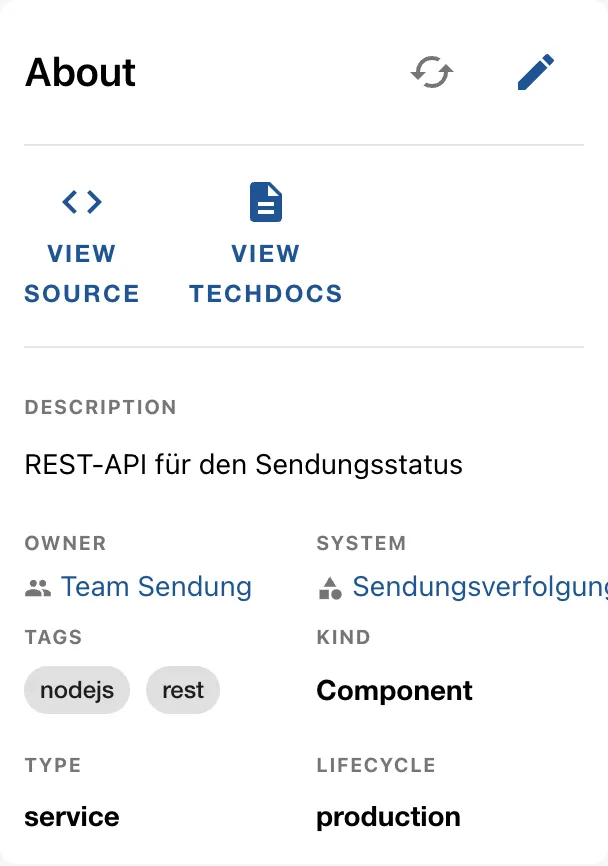
Diagnosis: Where does the entity come from, and what does the log say about the new repo?
bs catalog/entities/by-name/component/default/sendungs-api \
  | jq -r '.metadata.annotations["backstage.io/managed-by-location"]'
~/backstage-lab/setup/portal.sh logs 300 | sed 's/\x1b\[[0-9;]*m//g' \
  | grep -o 'conflicting entityRef component:[^ ]*' | sort | uniq -c
Expected:
url:http://127.0.0.1:3300/kranich/sendungs-api/src/branch/main/catalog-info.yaml
      1 conflicting entityRef component:default/sendungs-api
The full log line (level warn, plugin
catalog) reads
Detected conflicting entityRef component:default/sendungs-api already referenced by url:…/kranich/sendungs-api/… and now also url:…/kranich/sendungs-api-neu/….
Whoever was there first wins (Day 3). The warning appears only once,
shortly after the provider found the new repo – if it has already
slipped out of the last 300 lines, search with a larger number.
Fix: An entity name is unique per kind and namespace. The copy gets its own name:
git clone -q \
  http://lab-admin:[email protected]:3300/kranich/sendungs-api-neu.git neu
cd neu
sed -i.bak 's/^  name: sendungs-api$/  name: sendungs-api-neu/' catalog-info.yaml
rm catalog-info.yaml.bak && grep '^  name:' catalog-info.yaml
git -c user.name="Lab Admin" -c [email protected] commit -qam "Eigener Name"
git push -q origin main && cd .. && rm -rf neu
sleep 90
bs catalog/entities/by-name/component/default/sendungs-api-neu \
  | jq -r .metadata.description
sabotage 8 --reset
Expected:
  name: sendungs-api-neu
Sendungs-API v2 – neue Implementierung in Go
✔ Szenario 8 zurückgesetzt
If the new implementation is to take over the old name, the old
source must go first: archive the repo or delete
catalog-info.yaml there, wait until the entity is orphaned
and removed – only then does the new location win.
Save your progress? Sign up for free
Checkpoint
Reset all sabotages, then check the training ground and the
scenarios. The script is at
~/backstage-lab/code/tag15/kontrolle.sh:
#!/usr/bin/env bash
# kontrolle.sh – checkpoint Day 15 (✔/✘): all eight sabotages fixed?
# Exit code = number of failures.
source "${LAB:-$HOME/backstage-lab}/setup/env.sh"
PG="${PG:-bs-postgres}"
fail=0
t() { if eval "$2" >/dev/null 2>&1; then echo "✔ $1"
  else echo "✘ $1"; fail=$((fail+1)); fi; }
fj() { curl -sf -H "Authorization: token $FORGEJO_TOKEN" "$FORGEJO/api/v1/$1"; }
fehlt() { ! curl -sf -u "$ADMIN" "$FORGEJO/api/v1/repos/kranich/$1"; }

t "Keine Sabotage mehr aktiv" "! ls $LAB/tag15/.sabotage/aktiv-* "
t "1 Bot-Token gültig" "fj user | jq -e '.login == \"backstage-bot\"'"
t "1 Keine Processing-Errors an Locations" \
  "bs 'catalog/entities?filter=kind=location' \
     | jq -e '[.[].status.items[]?] | length == 0'"
t "2 Gruppe team-sendung im Katalog" \
  "bs catalog/entities/by-name/group/default/team-sendung"
t "3 Kein Repo kranich/vorlagen-web mehr" "fehlt vorlagen-web"
t "4 Bot darf Repos in kranich anlegen (Owners)" \
  "fj user/orgs | jq -e 'map(.username) | index(\"kranich\")'"
t "5 Keine app.extensions in der local-Datei" \
  "[ \"\$(yq '.app.extensions' $PORTAL/app-config.local.yaml)\" = null ]"
t "6 mkdocs im PATH" "command -v mkdocs"
t "7 PostgreSQL ($PG) bereit" "docker exec $PG pg_isready -h 127.0.0.1 -U backstage"
t "8 Kein Repo kranich/sendungs-api-neu mehr" "fehlt sendungs-api-neu"
exit "$fail"
sabotage reset-all
~/backstage-lab/setup/check.sh | grep -c '✔'
bash ~/backstage-lab/code/tag15/kontrolle.shExpected:
✔ keine Sabotage mehr aktiv
9
✔ Keine Sabotage mehr aktiv
✔ 1 Bot-Token gültig
✔ 1 Keine Processing-Errors an Locations
✔ 2 Gruppe team-sendung im Katalog
✔ 3 Kein Repo kranich/vorlagen-web mehr
✔ 4 Bot darf Repos in kranich anlegen (Owners)
✔ 5 Keine app.extensions in der local-Datei
✔ 6 mkdocs im PATH
✔ 7 PostgreSQL (bs-postgres) bereit
✔ 8 Kein Repo kranich/sendungs-api-neu mehr
check.sh must report all nine items green. An ✘ in
kontrolle.sh reveals the number of the drill you should
look at again.
Challenge
Partner mode: someone else triggers sabotage random
while you’re not looking (alone: run the command, clear the terminal).
Without the book and without kontrolle.sh, find out what is
broken, fix it and prove it. Time limit: 10 minutes.
Hint: Work through the layers from the briefing from the outside in: status and API, then errors on entities, then the backend log for keywords.
Solution
A triage that narrows down each of the eight scenarios in a few commands:
sabotage random
~/backstage-lab/setup/portal.sh status
curl -s -o /dev/null -w 'API: %{http_code}\n' \
  -H "Authorization: Bearer $BACKSTAGE_TOKEN" "$BACKSTAGE/api/catalog/entities?limit=1"
bs 'catalog/entities?filter=kind=location' \
  | jq -r '.[].status.items[]?.message' | cut -c1-60 | sort | uniq -c
muster='not of an allowed kind|conflicting entityRef|status: 40[13]|ENOENT'
~/backstage-lab/setup/portal.sh logs 500 | sed 's/\x1b\[[0-9;]*m//g' \
  | grep -oE "$muster|ECONNREFUSED" | sort | uniq -c
command -v mkdocs >/dev/null || echo "mkdocs fehlt"
yq '.app.extensions' ~/backstage-lab/portal/app-config.local.yaml
Read the result like this: API 500 and ECONNREFUSED →
Drill 7; status: 401 or Unauthorized → Drill
1; not of an allowed kind → Drill 3;
conflicting entityRef → Drill 8; mkdocs fehlt
(mkdocs missing) → Drill 6; a list instead of null for
app.extensions → Drill 5. If everything stays quiet, start
a template task (403 → Drill 4) and check the owners from Drill 2 with
comm. Old hits in the log may still come from the drills
(e.g. conflicting entityRef from Drill 8) – only what is
new after sabotage random counts. Then the reveal and
cleanup:
sabotage status
sabotage reset-all
Expected (example):
aktiv: Szenario 2
✔ Status gezeigt
✔ Szenario 2 zurückgesetzt
✔ keine Sabotage mehr aktiv
Save your progress? Sign up for free
Scoring
Enter your times. Points: within the time limit 3, up to double the limit 1, otherwise 0 – if you read along in the book, it counts half.
| Scenario | Time limit | Your time | Points |
|---|---|---|---|
| 1 Token revoked (401) | 10 min | ||
| 2 Owner group renamed | 10 min | ||
| 3 Template blocked by rule | 15 min | ||
| 4 publish:gitea with 403 | 10 min | ||
| 5 app.extensions in local file | 10 min | ||
| 6 mkdocs missing | 10 min | ||
| 7 PostgreSQL stopped | 5 min | ||
| 8 Duplicate entity name | 15 min | ||
| Challenge (blind) | 10 min | ||
| Total | 95 min | max. 27 |
With 21 points or more, you are ready for on-call duty on your own
portal; below 12, a second round with sabotage random in a
few days is worthwhile.
Enterprise Note
- Put failure patterns next to the portal as runbooks with exactly this structure (symptom, diagnostic command, fix) – ideally as TechDocs in the platform team’s repo.
- Alerts instead of chance discoveries: monitor processing errors, failed provider runs and scaffolder tasks via logs/metrics (Day 14); create tokens with an expiry date and rotate them before they expire.
- Check configuration in CI:
backstage-cli config:checkand a review forcatalog.rules,app.extensionsand integrations; local files don’t exist in production. - Technical accounts (bot) with minimal permissions in a dedicated
team, not in
Owners; team renames through a process that updates owner references too. - Run GameDays like this chapter regularly in a staging environment, with a readiness check that includes the database.