Day 4: notes with Login
Goal: Put notes behind oauth2-proxy, log in in the browser via Keycloak, have notes-api check the role for writing, and build sign-out so that it also signs you out of Keycloak. · Duration: approx. 75 min · Prerequisite: Day 3
Briefing
- oauth2-proxy sits in front of notes-web. Anyone without a session cookie is sent to Keycloak (authorization code with PKCE, Day 3). After that, oauth2-proxy holds the tokens, the browser only a cookie.
- With
--pass-access-token, oauth2-proxy passes the access token in the headerX-Forwarded-Access-Tokento notes-web, and notes-web passes it asAuthorizationto notes-api. - notes-api checks signature, expiry and issuer itself and requires
the realm role
notes-schreibenfor writing. - The browser needs its own client for notes:
notes-web.
 Browser ─► oauth2-proxy :4180 ──no cookie────► Keycloak login ─► back with code
                │ cookie                         (client notes-web)
                ▼
            notes-web ──Authorization: Bearer──► notes-api (checks token and role)
Drill 1: The Client notes-web
source ~/kc-lab/setup/env.sh
mkdir -p ~/kc-lab/tag04 && cd ~/kc-lab/tag04
kclogin
kcadm create clients -r lab -s clientId=notes-web -s enabled=true \
  -s publicClient=false -s secret=lab-client-secret-123 \
  -s standardFlowEnabled=true -s directAccessGrantsEnabled=false \
  -s "redirectUris=[\"$NOTES_URL/oauth2/callback\"]" \
  -s 'attributes."pkce.code.challenge.method"=S256' \
  -s "attributes.\"post.logout.redirect.uris\"=$NOTES_URL/*"
ID=$(kcadm get clients -r lab -q clientId=notes-web --fields id --format csv --noquotes)
kcadm get clients/$ID -r lab | jq -c '{clientId, redirectUris, attributes:
  (.attributes | with_entries(select(.key | test("pkce|logout"))))}'
Expected (abridged, your IP will differ):
Logging into http://localhost:8080 as user kcadmin of realm master
Created new client with id '8632629e-…'
{"clientId":"notes-web","redirectUris":["http://notes.192.168.64.7.sslip.io:4180/oauth2/
callback"],"attributes":{"post.logout.redirect.uris":"http://notes.192.168.64.7.sslip.io
:4180/*","pkce.code.challenge.method":"S256"}}
Only the authorization code flow, only exactly one redirect URI, PKCE is mandatory. The more narrowly a client is configured, the less can be done with it.
Save your progress? Sign up for free
Drill 2: The Stack
oauth2-proxy encrypts its cookie with its own 32-byte secret. It goes
into setup/vms.env, which env.sh reads in as
well:
echo "export COOKIE_SECRET=$(openssl rand -base64 32 | tr -- '+/' '-_')" \
  >> ~/kc-lab/setup/vms.env
source ~/kc-lab/setup/env.sh
echo ${#COOKIE_SECRET}
cp -R ~/kc-lab/code/notes-stack ~/kc-lab/notes && cd ~/kc-lab/notes
grep -E 'provider=|oidc-issuer|pass-access|skip-provider|backend-logout' compose.yaml \
  | cut -c1-80
docker compose up -d --wait
docker compose logs oauth2-proxy notes-api 2>&1 \
  | grep -o -E 'OAuthProxy configured.*|msg="oidc enabled".*' | sort
Expected (abridged):
44
      - --provider=keycloak-oidc
      - --oidc-issuer-url=${KC_URL}/realms/lab
      - --skip-provider-button=true           # gleich zu Keycloak statt eigener
      - --pass-access-token=true              # X-Forwarded-Access-Token an note
      - --backend-logout-url=${KC_URL}/realms/lab/protocol/openid-connect/logout
 Container notes-notes-api-1 Healthy
OAuthProxy configured for Keycloak OIDC Client ID: notes-web
msg="oidc enabled" issuer=http://kc.192.168.64.7.sslip.io:8080/realms/lab role=notes-sc…
oauth2-proxy found Keycloak via discovery, and notes-api checks tokens from exactly this issuer. Without a cookie, oauth2-proxy redirects immediately:
curl -si $NOTES_URL/ | grep -E '^(HTTP|Location)' | cut -c1-90Expected (abridged):
HTTP/1.1 302 Found
Location: http://kc.192.168.64.7.sslip.io:8080/realms/lab/protocol/openid-connect/auth?…
Save your progress? Sign up for free
Drill 3: The First Login
On the laptop, open
http://notes.<IP>.sslip.io:4180. You land at
Keycloak, in the realm lab, with the display name from Day
1:
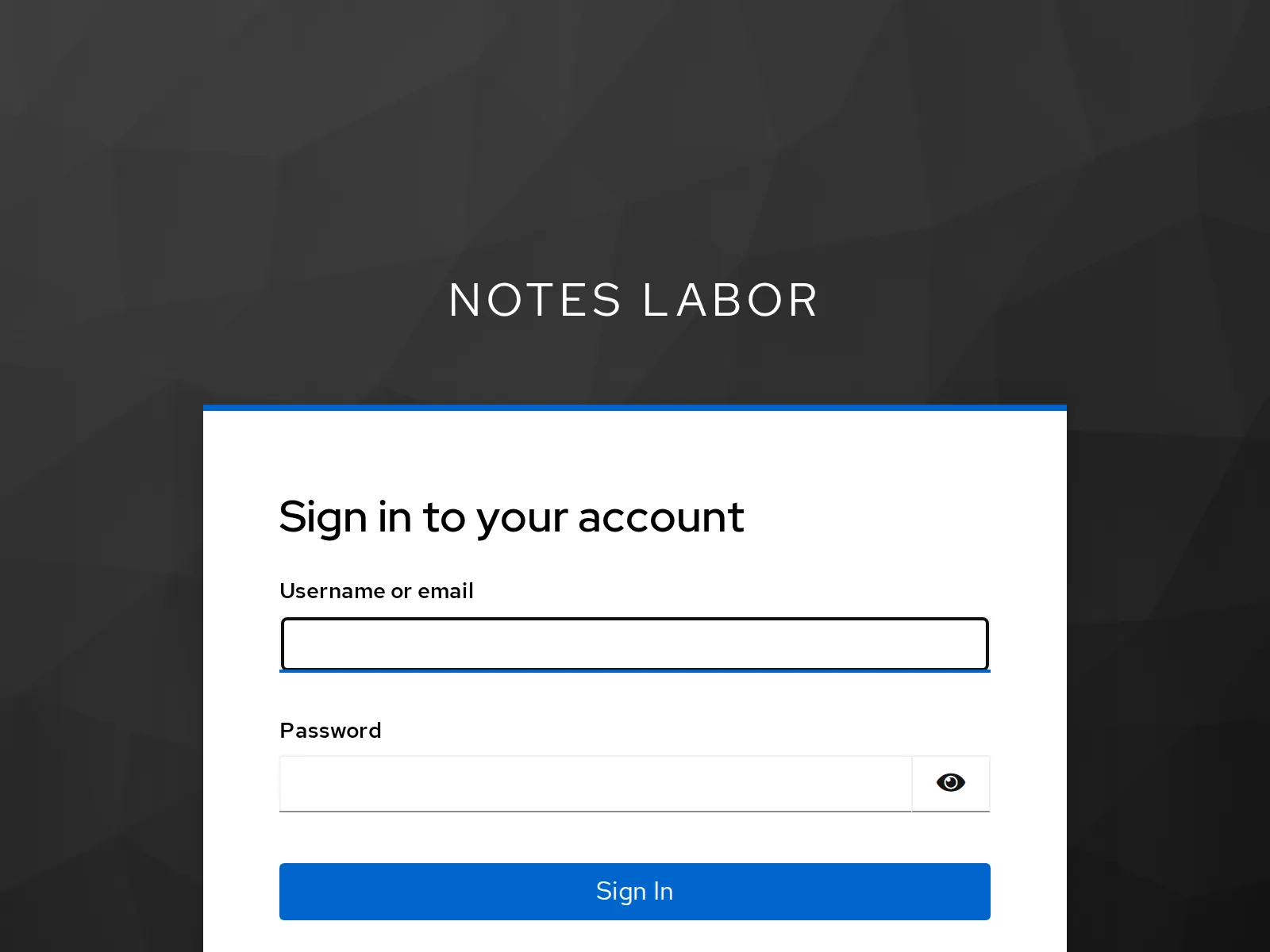
Log in as anna with lab-user-pw-123. Back
in notes, the top shows who is logged in and with which roles; notes-api
reads that from the token. Save a note:
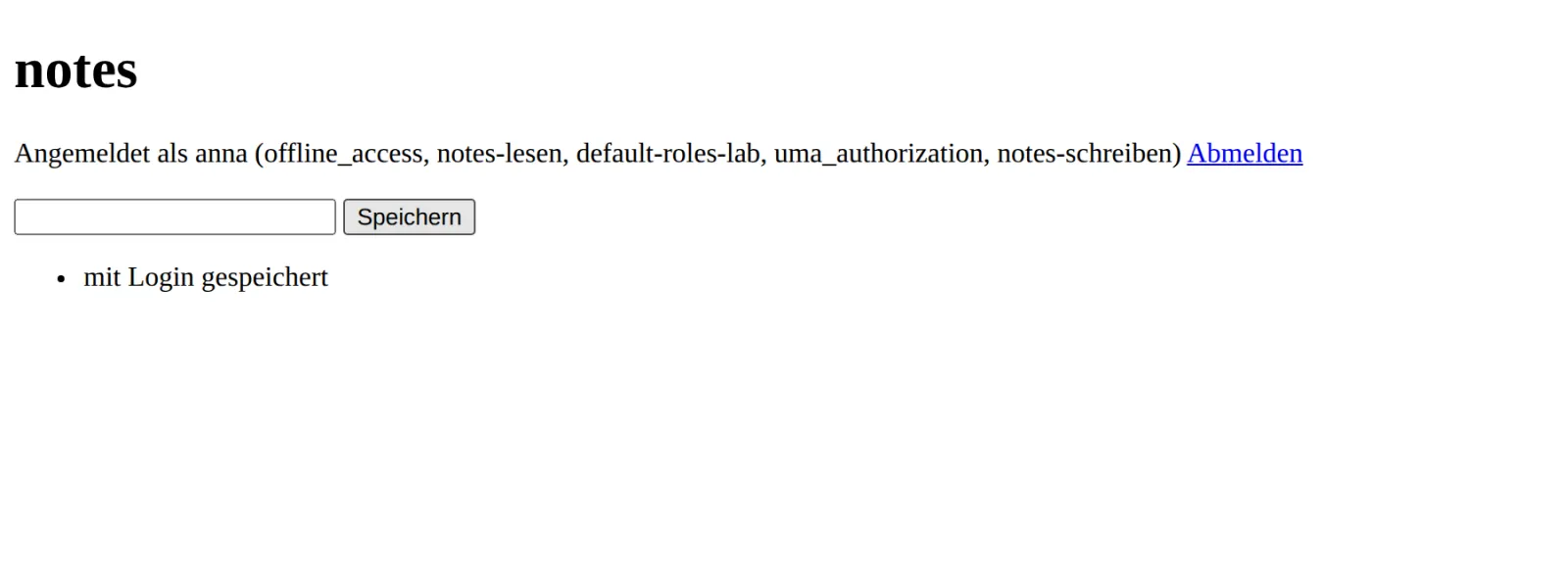
The browser has seen neither the password nor a token. It only holds
the cookie _oauth2_proxy.
Save your progress? Sign up for free
Drill 4: Logged In, but Not Authorized
Sign out via Abmelden (sign out) and log back in as
ben with lab-user-pw-456. Try to save a
note:
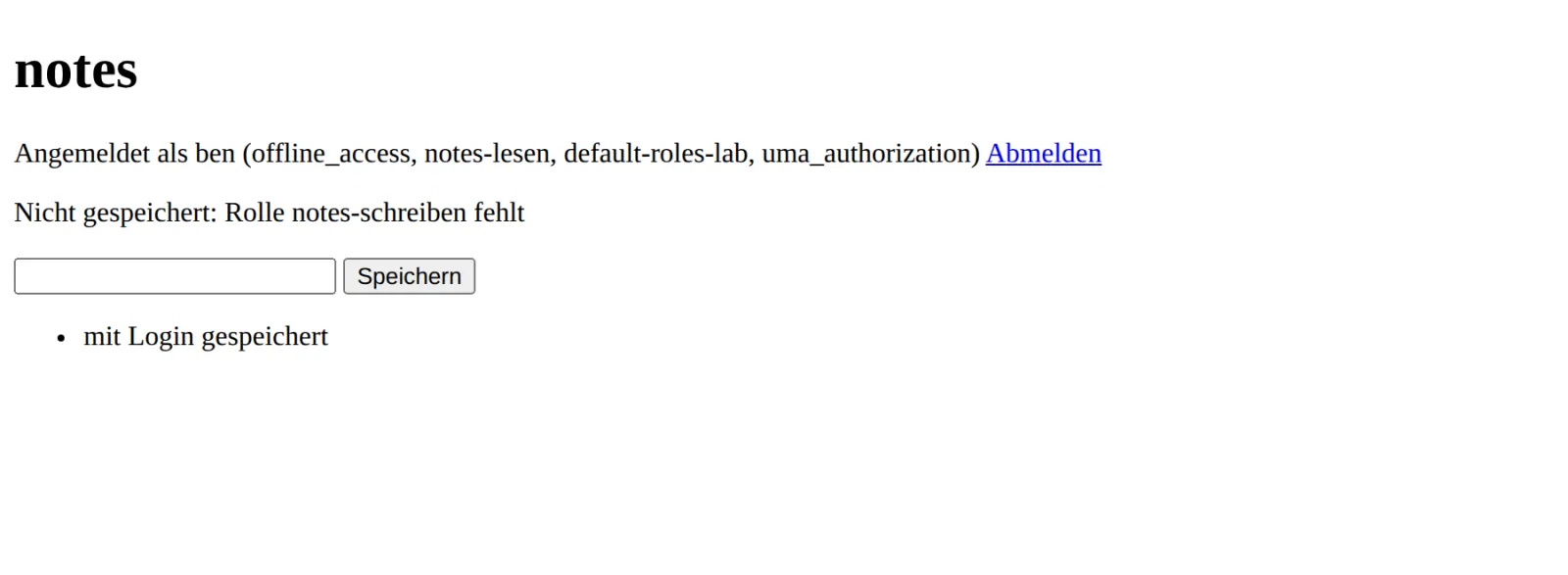
ben is authenticated, but not authorized: notes-api does not find
notes-schreiben in his token and answers with 403. He may
still read.
Save your progress? Sign up for free
Drill 5: The API Directly
The same rules apply without a browser. notes-api is not reachable
from outside, so a curl container in the network lab
asks:
api() { docker run --rm --network lab curlimages/curl:8.17.0 -s "$@"; }
A=$(token anna lab-user-pw-123); B=$(token ben lab-user-pw-456)
api -H "Authorization: Bearer $A" notes-api:8080/whoami; echo
J='{"text":"per API"}'; H='Content-Type: application/json'
api -w ' %{http_code}\n' -X POST -H "Authorization: Bearer $A" -H "$H" -d "$J" \
  notes-api:8080/notes
api -w ' %{http_code}\n' -X POST -H "Authorization: Bearer $B" -H "$H" -d "$J" \
  notes-api:8080/notes
api -w ' %{http_code}\n' -X POST -H 'X-API-Key: lab-api-key-123' -H "$H" -d "$J" \
  notes-api:8080/notes
api -w ' %{http_code}\n' -X POST -H "Authorization: Bearer ${A}x" -H "$H" -d "$J" \
  notes-api:8080/notes
Expected (abridged):
{"aud":["account"],"email":"[email protected]","roles":["offline_access","notes-lesen",
"default-roles-lab","uma_authorization","notes-schreiben"],"user":"anna"}
{"id":"5daeb88a-…","text":"per API"}
 201
{"error":"Rolle notes-schreiben fehlt","user":"ben"}
 403
{"error":"kein Bearer-Token"}
 401
{"error":"Signatur ungültig"}
 401
The old API key from the Docker books no longer counts once OIDC is active (“kein Bearer-Token”, no bearer token). A single appended character, and the signature no longer matches (“Signatur ungültig”, signature invalid).
Save your progress? Sign up for free
Drill 6: Signing Out Properly
Abmelden (sign out) leads to
/oauth2/sign_out. That deletes the oauth2-proxy cookie.
Without further configuration, however, the session in Keycloak lives
on, and the next time you open notes, Keycloak logs you back in without
a password: single sign-on, unwanted here. That is why
compose.yaml contains:
grep -A1 'Abmelden beendet' compose.yaml | cut -c1-88Expected:
      # Abmelden beendet auch die Sitzung in Keycloak (Tag 4, Drill 6)
      - --backend-logout-url=${KC_URL}/realms/lab/protocol/openid-connect/logout?id_to…
On sign-out, oauth2-proxy calls Keycloak’s logout endpoint with the
ID token as id_token_hint. Try it in the browser: log in,
Abmelden, reload notes. The Keycloak login page appears
again.
Save your progress? Sign up for free
Checkpoint
docker compose -f ~/kc-lab/notes/compose.yaml ps --services | sortExpected: four running services (migrate has
finished).
db
notes-api
notes-web
oauth2-proxy
curl -s -o /dev/null -w '%{http_code}\n' $NOTES_URL/Expected: Without a login, you are sent to Keycloak.
302api notes-api:8080/notes | jq -r '.[].text'Expected: anna’s notes, from the browser and the API.
mit Login gespeichert
per API
Challenge
How many sessions does anna currently have in Keycloak, and through which clients? Kick her out everywhere.
Hint: users/<id>/sessions lists
the sessions, users/<id>/logout ends them.
Solution
uid() { kcadm get users -r lab -q username=$1 -q exact=true --fields id \
  --format csv --noquotes; }
kcadm get users/$(uid anna)/sessions -r lab | jq -r '.[] | [.ipAddress,
  (.clients | to_entries | map(.value) | join(","))] | @tsv' | sort | uniq -c
kcadm create users/$(uid anna)/logout -r lab
kcadm get users/$(uid anna)/sessions -r lab | jq length
Expected (abridged, the numbers will differ on your machine):
      4 192.168.64.1    notes-cli
      2 192.168.64.1    notes-web
      3 192.168.64.7    notes-cli
0
Every call to token (password grant) created a session
of its own. Another reason why this flow belongs only in the lab. After
the logout, anna has to log in again everywhere; an access token already
issued remains valid at notes-api until its exp.
Save your progress? Sign up for free
Enterprise Note
- Gateway instead of a proxy per application:
oauth2-proxy per application is simple. Many setups attach it centrally
to the ingress (
auth_request) or use the gateway (Kong, “Kong hands-on”). - Cookie lifetime: The default is seven days.
--cookie-refreshrefreshes the tokens regularly and thus notices when Keycloak has ended the session. - Back-channel logout: Keycloak can actively notify
applications at logout (
backchannel.logout.url) instead of waiting until their token expires. - Separate API and browser: notes-api checks the role, not the proxy. That way the API stays secure even if someone finds a way around the proxy.