Day 7: Kong with Postgres
Goal: Switch Kong to a database, apply your
kong.yamlwithdeck gateway sync, make changes at runtime and catch them again, and back up Kong. · Duration: approx. 75 min · Prerequisite: Day 6
Briefing
- With a database, Kong stores every object in Postgres. The Admin API may write, and so may Kong Manager.
- Before the first start,
kong migrations bootstrapcreates the schema. - The file is no longer automatically the truth. You make it the
truth: Git plus
deck gateway sync, anddeck gateway difffinds everything someone changed behind Git’s back. - Kong distributes changes to its workers gradually: up to 5 seconds.
 kong.yaml (Git) ──deck gateway sync──► Admin API ──► Postgres (kong-db)
                                                         │ every 5 s
                                        Worker ◄─────────┘
Drill 1: A Database for Kong
source ~/kong-lab/setup/env.sh
mkdir -p ~/kong-lab/tag07 && cd ~/kong-lab/kong
docker compose down
cp ~/kong-lab/code/tag07/compose.yaml compose.yaml
grep -E 'KONG_DATABASE|KONG_PG_HOST|command:' compose.yaml
docker compose up -d --wait
docker compose logs kong-migrations | tail -3
docker compose ps -a --format "table {{.Service}}\t{{.Status}}"
Expected (shortened):
 Container kong-kong-1 Removed
  KONG_DATABASE: postgres
  KONG_PG_HOST: kong-db
    command: ["kong", "migrations", "bootstrap"]
 Container kong-kong-db-1 Healthy
 Container kong-kong-1 Healthy
kong-migrations-1  | 67 migrations processed
kong-migrations-1  | 67 executed
kong-migrations-1  | Database is up-to-date
SERVICE           STATUS
kong              Up 7 seconds (healthy)
kong-db           Up 20 seconds (healthy)
kong-migrations   Exited (0) 7 seconds ago
Three services: kong-db (Postgres);
kong-migrations runs once and exits with 0, and only then
does kong start. A second start reports
Database already bootstrapped.
Save your progress? Sign up for free
Drill 2: An Empty Kong
curl -s $ADMIN | jq -r .configuration.database
curl -s $ADMIN/services | jq -c .
curl -s -o /dev/null -w '%{http_code}\n' $PROXY/api/v1/notes
Expected:
postgres
{"next":null,"data":[]}
404
The database is new and empty. kong.yaml is still in the
mounted directory, but Kong no longer reads it. Without any action on
your part, your gateway just forgot everything.
Save your progress? Sign up for free
Drill 3: Finally, sync
deck gateway sync kong.yaml | tail -4
sleep 5
curl -s -o /dev/null -w '%{http_code}\n' $PROXY/api/v1/notes
curl -s -o /dev/null -w '%{http_code}\n' -u anna:lab-user-pw-123 $PROXY/admin-api/status
curl -s "$ADMIN/services?tags=team-notes" | jq -r '.data[].name'
Expected (shortened):
Warning: import/export of basic-authcredentials using decK doesn't work due to hashing
of passwords in Kong.
Summary:
  Created: 38
  Updated: 0
  Deleted: 0
200
200
notes-version
notes
What failed with 405 on Day 3 now creates 38 objects. anna’s password works because it is in plain text in your file and Kong hashes it on creation. And the filter by tags, a 500 error without a database, returns the team’s two services.
Save your progress? Sign up for free
Drill 4: Writing at Runtime
The Admin API now accepts individual objects:
curl -s -X POST $ADMIN/services -d name=schnell -d url=http://echo:8080/anything \
  | jq -c '{name}'
curl -s -X POST $ADMIN/services/schnell/routes -d name=schnell -d 'paths[]=/schnell' \
  | jq -c '{name, paths}'
until [ "$(curl -s -o /dev/null -w '%{http_code}' $PROXY/schnell)" = 200 ]; do
  echo -n '.'; sleep 1
done; echo " da"
curl -s -X PATCH $ADMIN/services/notes -d read_timeout=5000 \
  | jq -c '{name, read_timeout}'
Expected (shortened, the number of dots varies):
{"name":"schnell"}
{"name":"schnell","paths":["/schnell"]}
.... da
{"name":"notes","read_timeout":5000}
No more kreload. But the route is not there immediately:
every worker checks every 5 seconds whether something has changed, and
then rebuilds its router.
curl -s $ADMIN \
  | jq '.configuration | {worker_consistency, worker_state_update_frequency}'
Expected:
{
  "worker_consistency": "eventual",
  "worker_state_update_frequency": 5
}
After a restart, everything is still there, because it is in Postgres:
docker compose restart kong
sleep 8
curl -s -o /dev/null -w '%{http_code}\n' $PROXY/schnell
docker compose exec kong-db psql -U kong -d kong \
  -c "select name, read_timeout from services order by name"
Expected:
 Container kong-kong-1 Started
200
     name      | read_timeout
---------------+--------------
 admin-api     |        60000
 api-rest      |        60000
 echo          |        60000
 notes         |         5000
 notes-version |        10000
 schnell       |        60000
 whoami        |        60000
(7 rows)
Save your progress? Sign up for free
Drill 5: Catching Drift
schnell and the timeout are not in any Git. For decK,
that is drift:
deck gateway diff kong.yaml | grep -E '^(creating|updating|deleting)|[-+] "read'Expected:
Warning: import/export of basic-authcredentials using decK doesn't work due to hashing
of passwords in Kong.
updating service notes  {
-  "read_timeout": 5000,
+  "read_timeout": 10000,
deleting route schnell
deleting service schnell
Either the change goes into Git, or it goes away. Here it goes away:
deck gateway sync kong.yaml | tail -4Expected:
Summary:
  Created: 0
  Updated: 1
  Deleted: 2
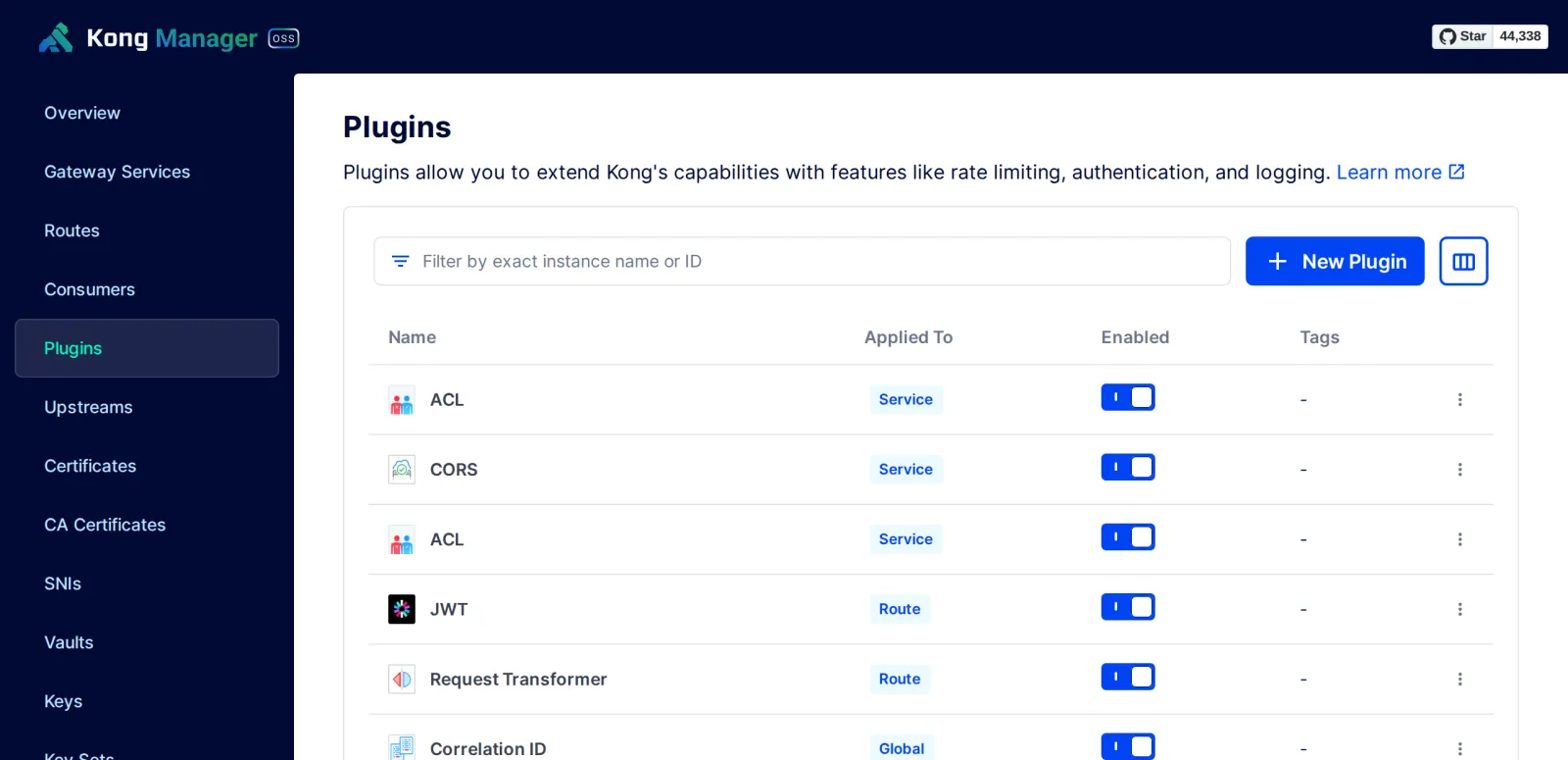
Kong Manager can now write as well: New Plugin, a toggle for Enabled, editing via the menu at the end of the row. Every change there is drift, just like a moment ago.
Save your progress? Sign up for free
Drill 6: Teams with select_tags
The notes team should maintain its own objects without touching the
others. select_tags in _info tells decK: this
file manages only objects with the tag.
cd ~/kong-lab/tag07
cp ~/kong-lab/code/tag07/team-notes.yaml .
grep -v '^#' team-notes.yaml | sed -n '1,8p'
deck gateway diff team-notes.yaml \
  | grep -E '^(creating|updating|deleting)|Summary|  [A-Z]'
Expected (shortened):
_format_version: "3.0"
_info:
  select_tags:
    - team-notes
services:
  - name: notes-version
    url: http://notes-api:8080/version
    connect_timeout: 2000
updating service notes-version  {
creating route notes-version
deleting service notes
Summary:
  Created: 1
  Updated: 1
  Deleted: 1
Good thing you asked diff: the notes
service carries the tag but is not in the file, so decK would
delete it. And the notes-version route
does not carry the tag, so decK considers it new. With
select_tags, every object of the team must carry the tag
and be in the team’s file: services, routes and plugins. That is why
this file is not applied.
Save your progress? Sign up for free
Drill 7: Backing Up
Two approaches that complement each other: decK backs up the
configuration in readable form, pg_dump the whole
database.
deck gateway dump -o sicherung.yaml
wc -l sicherung.yaml
docker compose -f ~/kong-lab/kong/compose.yaml exec -T kong-db \
  pg_dump -U kong -d kong | gzip > kong-db.sql.gz
ls -l kong-db.sql.gz | awk '{print $5, $9}'
Expected (shortened):
Warning: basic-auth credentials detected, IDs will be exported
 411 sicherung.yaml
14593 kong-db.sql.gz
The decK export contains passwords only as hashes (Day 5). For a
rebuild, your kong.yaml from Git does the job; for
rewinding to exactly this state, the dump.
Save the state:
cd ~/kong-lab/kong
git add compose.yaml && git commit -qm "Tag 7: Kong mit Postgres"
Save your progress? Sign up for free
Checkpoint
docker compose -f ~/kong-lab/kong/compose.yaml ps --servicesExpected: Kong and its database are running
(kong-migrations has finished).
kong
kong-db
deck gateway diff ~/kong-lab/kong/kong.yaml | tail -3Expected: no drift (the warning about passwords comes before it).
  Created: 0
  Updated: 0
  Deleted: 0
curl -s "$ADMIN/routes?tags=team-notes" | jq '.data | length'Expected: routes do not carry the tag, only the services (see Drill 6).
0Challenge
The disk under kong-db is broken: the volume is gone.
Restore Kong from kong-db.sql.gz and prove that nothing is
missing.
Note: docker compose down -v deletes
the volumes. Start the database first, then import the dump, then the
rest.
Solution
cd ~/kong-lab/kong
docker compose down -v
docker compose up -d kong-db --wait
zcat ~/kong-lab/tag07/kong-db.sql.gz \
  | docker compose exec -T kong-db psql -q -U kong -d kong
docker compose up -d --wait
docker compose logs kong-migrations | tail -1
sleep 6
curl -s -o /dev/null -w '%{http_code}\n' $PROXY/api/v1/notes
deck gateway diff kong.yaml | tail -3
Expected (shortened):
 Volume kong_kong-data Removed
 Container kong-kong-db-1 Healthy
 set_config
------------

(1 row)
…
 Container kong-kong-1 Healthy
kong-migrations-1  | Database already bootstrapped
200
  Created: 0
  Updated: 0
  Deleted: 0
migrations bootstrap recognizes the restored schema and
does nothing. The tables with set_config and
setval are printed by psql while importing the
dump.
Save your progress? Sign up for free
Enterprise Note
- Operating the database: Postgres for Kong must be backed up, monitored and highly available (replication, managed service). If it fails, Kong nodes keep running on their cache, but accept no changes.
- DB-less or Postgres? DB-less with GitOps is simpler and more robust; you need Postgres if you change things at runtime (Kong Manager, self-service) or use plugins with counters in the database. Day 13 shows the middle ground: hybrid.
- Drift in operations: Run
deck gateway diffregularly in CI against production and alert on deviations. - Teams: Enterprise separates strictly with
workspaces and RBAC;
select_tagsis an agreement, not a protection. - Upgrades: New Kong versions bring migrations
(
kong migrations upandfinish), Day 14.