Day 11: Flows, Identity Brokering, SAML, Theme
Goal: Build a login flow of your own that requires OTP only for admins, log in users of a partner via OIDC and SAML, and give the login page a face of its own. · Duration: approx. 120 min · Prerequisite: Day 10
Briefing
- A flow is a chain of steps (executions): check
cookie, form, second factor. Each step is
REQUIRED,ALTERNATIVE,CONDITIONALorDISABLED. You don’t change built-in flows, you copy them. - A flow can be set per client (Authentication flow overrides). That way something different applies to notes-web than to the account console.
- Identity brokering: Keycloak lets another identity provider log users in and creates a local copy of the user the first time. The other provider can speak OIDC or SAML.
- SAML 2.0 is the older XML standard for single sign-on, still widespread in companies. Keycloak is a SAML IdP and a SAML broker at the same time.
- A theme changes the look and texts of the pages – here with a few lines of CSS and a text file, without templates of your own.
 notes-web ─► Realm lab (flow browser-notes: OTP only for notes-admin)
                 └─ "Partner GmbH" (OIDC) ─► Realm partner (pia)
 Account partner ─► "notes Labor (SAML)" ─► Realm lab (anna)
Drill 1: A Browser Flow of Your Own
source ~/kc-lab/setup/env.sh
mkdir -p ~/kc-lab/tag11
kclogin
uid() { kcadm get users -r lab -q username=$1 -q exact=true --fields id \
  --format csv --noquotes; }
kcadm create authentication/flows/browser/copy -r lab -s newName=browser-notes
ex() { kcadm get authentication/flows/browser-notes/executions -r lab; }
ex | jq -r '.[] | [.level, .requirement, .displayName] | @tsv' | tail -8
Expected:
Logging into http://localhost:8080 as user kcadmin of realm master
Created new copy with id '…'
0   ALTERNATIVE browser-notes forms
1   REQUIRED    Username Password Form
1   CONDITIONAL browser-notes Browser - Conditional 2FA
2   REQUIRED    Condition - user configured
2   REQUIRED    Condition - credential
2   ALTERNATIVE OTP Form
2   DISABLED    WebAuthn Authenticator
2   DISABLED    Recovery Authentication Code Form
The first column is the level. Under forms sit the password form and the subflow for the second factor. It only runs if all conditions apply: “user configured” means the user has already set up OTP. That is why on Day 10 Keycloak asked only otto for a code. In the console you see the flow under Authentication → browser-notes.
Save your progress? Sign up for free
Drill 2: OTP Only for Admins
New rule for notes: Anyone with the role notes-admin
always needs a second factor – even if they haven’t set one up yet. To
do that, we swap the two conditions for “user role”:
eid() { ex | jq -r --arg n "$1" '[.[] | select(.displayName==$n)] | last | .id'; }
kcadm delete authentication/executions/$(eid "Condition - user configured") -r lab
kcadm delete authentication/executions/$(eid "Condition - credential") -r lab
SUB="browser-notes%20Browser%20-%20Conditional%202FA"
kcadm create authentication/flows/$SUB/executions/execution -r lab \
  -s provider=conditional-user-role
RID=$(eid "Condition - user role")
kcadm create authentication/executions/$RID/config -r lab -s alias=nur-notes-admin \
  -s 'config.condUserRole=notes-admin'
kcadm create authentication/executions/$RID/raise-priority -r lab
kcadm update authentication/flows/browser-notes/executions -r lab \
  -b "{\"id\":\"$RID\",\"requirement\":\"REQUIRED\"}"
kcadm update authentication/flows/browser-notes/executions -r lab \
  -b "{\"id\":\"$(eid "OTP Form")\",\"requirement\":\"REQUIRED\"}"
ex | jq -r '.[] | [.level, .requirement, .displayName] | @tsv' | tail -5
Expected:
Created new execution with id '…'
Created new config with id '…'
1   CONDITIONAL browser-notes Browser - Conditional 2FA
2   REQUIRED    Condition - user role
2   REQUIRED    OTP Form
2   DISABLED    WebAuthn Authenticator
2   DISABLED    Recovery Authentication Code Form
With last, eid takes the last match:
“Condition - user configured” also exists in the subflow for
organizations further up, which we leave alone. The configuration
nur-notes-admin (only notes-admin) tells the condition
which role to check. If the role is present, the OTP form must be
passed; if the device is missing, the user sets it up first. Spaces in
the subflow’s name appear in the URL as %20.
Save your progress? Sign up for free
Drill 3: The Flow Applies to notes
FID=$(kcadm get authentication/flows -r lab \
  | jq -r '.[] | select(.alias=="browser-notes") | .id')
NW=$(kcadm get clients -r lab -q clientId=notes-web | jq -r '.[0].id')
kcadm update clients/$NW -r lab -s "authenticationFlowBindingOverrides.browser=$FID"
kcadm get clients/$NW -r lab | jq -c .authenticationFlowBindingOverrides
kcadm create users -r lab -s username=nora -s enabled=true -s [email protected] \
  -s emailVerified=true -s firstName=Nora -s lastName=Admin
kcadm set-password -r lab --username nora --new-password lab-user-pw-nora
kcadm add-roles -r lab --uusername nora --rolename notes-admin
echo "$NOTES_URL"
Expected:
{"browser":"…"}
Created new user with id '…'
http://notes.192.168.64.5.sslip.io:4180
Open notes in a private browser window and log in as
nora with lab-user-pw-nora. Instead of notes,
the second-factor setup appears.
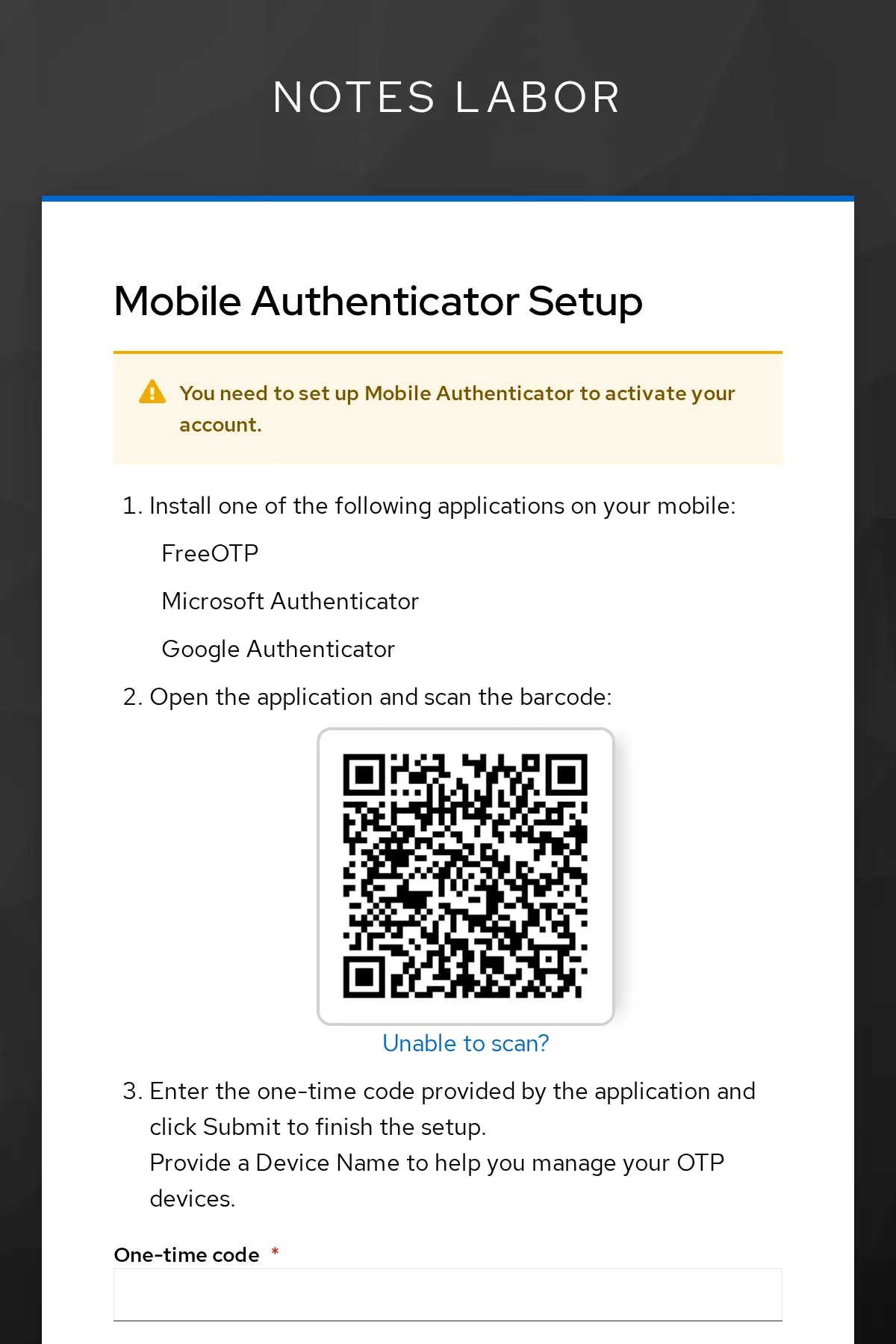
Close the window without setting up OTP. In a new private window, log
in as anna: She does not have notes-admin and
lands directly in notes. In the account console
($KC_URL/realms/lab/account), nora needs no code either –
the browser flow still applies there.
Save your progress? Sign up for free
Drill 4: A Partner with a Realm of Its Own
Partner GmbH has its own user management. We simulate it with a second realm on the same Keycloak instance:
P=$KC_URL/realms/partner
kcadm create realms -s realm=partner -s enabled=true -s 'displayName=Partner GmbH'
kcadm create users -r partner -s username=pia -s enabled=true \
  -s [email protected] -s emailVerified=true -s firstName=Pia \
  -s lastName=Partner
kcadm set-password -r partner --username pia --new-password lab-user-pw-pia
kcadm create clients -r partner -s clientId=lab-broker -s secret=lab-client-secret-123 \
  -s "redirectUris=[\"$KC_URL/realms/lab/broker/partner/endpoint\"]"
curl -s $P/.well-known/openid-configuration | jq -r .issuer
Expected:
Created new realm with id 'partner'
Created new user with id '…'
Created new client with id '…'
http://kc.192.168.64.5.sslip.io:8080/realms/partner
For the partner, lab is an entirely normal OIDC client named
lab-broker. The redirect URI points to lab’s broker
endpoint; partner in it is the alias that the identity
provider will get in lab in a moment.
Save your progress? Sign up for free
Drill 5: Partner GmbH as Identity Provider
kcadm create identity-provider/instances -r lab -s alias=partner \
  -s providerId=keycloak-oidc -s 'displayName=Partner GmbH' -s enabled=true \
  -s config.issuer=$P -s config.authorizationUrl=$P/protocol/openid-connect/auth \
  -s config.tokenUrl=$P/protocol/openid-connect/token \
  -s config.jwksUrl=$P/protocol/openid-connect/certs -s config.useJwksUrl=true \
  -s config.validateSignature=true -s config.clientId=lab-broker \
  -s config.clientSecret=lab-client-secret-123 \
  -s config.clientAuthMethod=client_secret_post \
  -s config.pkceEnabled=true -s config.pkceMethod=S256 -s config.syncMode=IMPORT \
  -s 'config.defaultScope=openid profile email'
kcadm create identity-provider/instances/partner/mappers -r lab -s name=leser \
  -s identityProviderAlias=partner \
  -s identityProviderMapper=oidc-hardcoded-role-idp-mapper \
  -s config.role=notes-lesen -s config.syncMode=INHERIT
Expected:
Created new instance with id 'partner'
Created new mapper with id '…'
The mapper leser gives every user from the partner the
role notes-lesen. Open notes in a private window: Below the
form there is now Sign in with Partner GmbH.
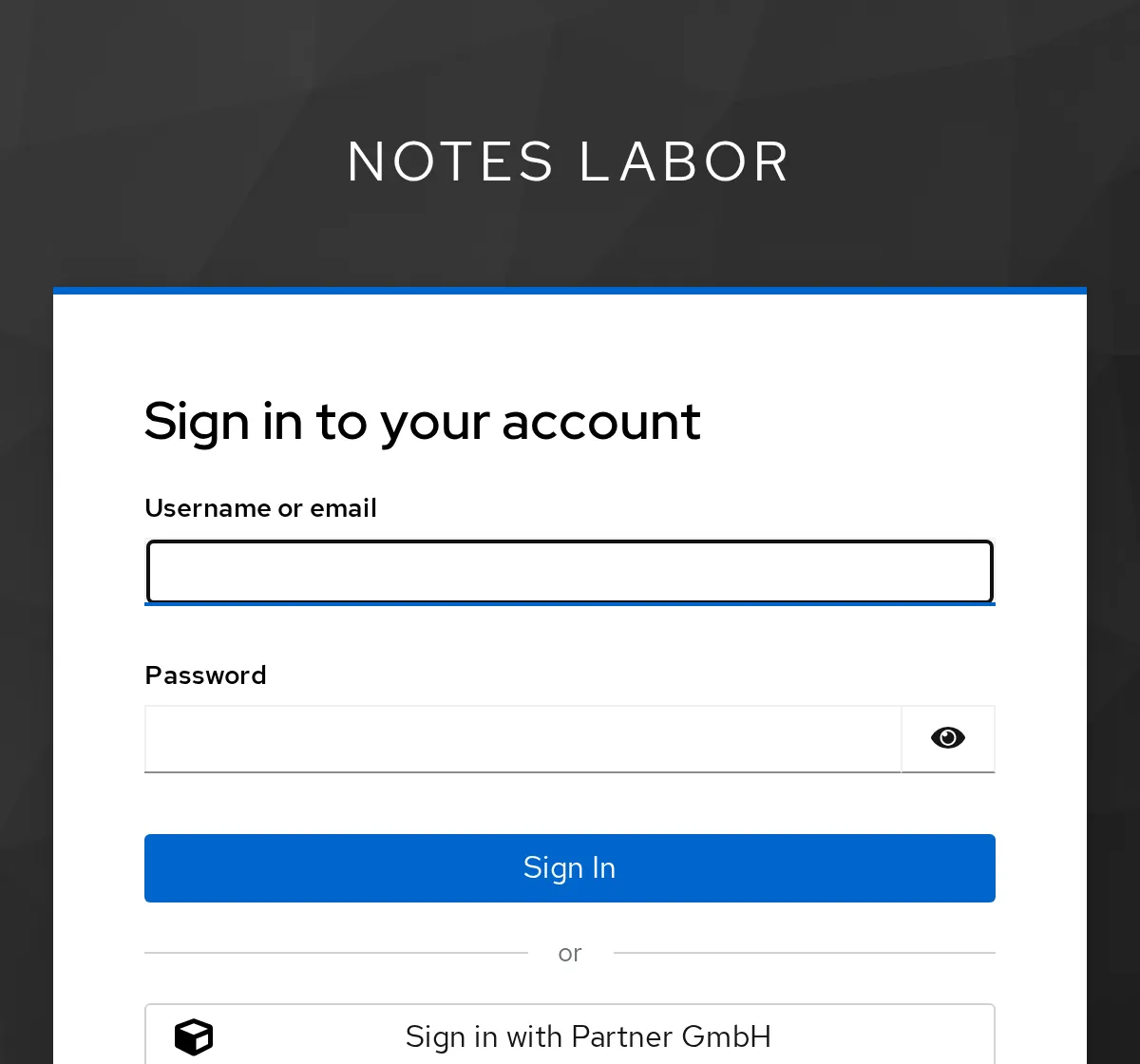
Click it and log in at Partner GmbH as pia with
lab-user-pw-pia. Instead of notes you get 500
Internal Server Error. Who did that?
docker compose -f ~/kc-lab/notes/compose.yaml logs oauth2-proxy --since 5m \
  | grep -o 'Error redeeming.*'
Expected:
Error redeeming code during OAuth2 callback: email in id_token ([email protected]) i…Keycloak created pia, but marked her email as not verified – it doesn’t know whether the partner checked it. oauth2-proxy requires a verified address. We trust the partner (Trust email). We delete pia’s copy that was already created so that it gets created anew:
kcadm get users -r lab -q username=pia -q exact=true \
  | jq -c '.[] | {username, emailVerified}'
kcadm update identity-provider/instances/partner -r lab -s trustEmail=true
kcadm delete users/$(uid pia) -r lab && echo gelöscht
Expected:
{"username":"pia","emailVerified":false}
gelöscht
In a new private window, log in once more via Partner GmbH as pia. Now the top reads “Angemeldet als pia (… notes-lesen …)” (logged in as pia). In lab:
PID=$(uid pia)
kcadm get users/$PID/federated-identity -r lab \
  | jq -c '.[] | {identityProvider, userName}'
kcadm get users/$PID/role-mappings/realm -r lab | jq -r '.[].name' | sort
kcadm get users/$PID -r lab | jq -c '{username, email, emailVerified}'
Expected:
{"identityProvider":"partner","userName":"pia"}
default-roles-lab
notes-lesen
{"username":"pia","email":"[email protected]","emailVerified":true}
pia has no password in lab. Her copy is linked to the account at the partner (Identity provider links); the role comes from the mapper.
Save your progress? Sign up for free
Drill 6: The Same with SAML
Now the other way around: Partner GmbH wants people from lab to log in there – via SAML. lab is then the SAML IdP, partner the service provider (SP). Every SAML partner publishes its data as XML metadata:
curl -s $KC_URL/realms/lab/protocol/saml/descriptor \
  | grep -o -E 'entityID="[^"]*"|SingleSignOnService Binding="[^"]*"'
Expected:
entityID="http://kc.192.168.64.5.sslip.io:8080/realms/lab"
SingleSignOnService Binding="urn:oasis:names:tc:SAML:2.0:bindings:HTTP-POST"
SingleSignOnService Binding="urn:oasis:names:tc:SAML:2.0:bindings:HTTP-Redirect"
SingleSignOnService Binding="urn:oasis:names:tc:SAML:2.0:bindings:SOAP"
SingleSignOnService Binding="urn:oasis:names:tc:SAML:2.0:bindings:HTTP-Artifact"
In lab, the SP gets a SAML client. Its client ID is the SP’s entity ID – for a Keycloak realm, its URL:
kcadm create clients -r lab -s clientId=$P -s protocol=saml -s name=partner-saml \
  -s "redirectUris=[\"$P/broker/notes-lab/endpoint\"]" \
  -s 'attributes."saml.client.signature"=false' \
  -s 'attributes."saml_name_id_format"=username' \
  -s 'attributes."saml_force_name_id_format"=true'
SID=$(kcadm get clients -r lab -q clientId=$P | jq -r '.[0].id')
Expected:
Created new client with id '…'saml.client.signature=false means: lab does not require
signed requests from the SP. The NameID – the username
in the response – is the username. On partner’s side,
Keycloak reads lab’s metadata and creates the identity provider from
it:
kcadm create identity-provider/import-config -r partner -s providerId=saml \
  -s fromUrl=$KC_URL/realms/lab/protocol/saml/descriptor -o > ~/kc-lab/tag11/saml.json
jq -c '{singleSignOnServiceUrl, validateSignature}' ~/kc-lab/tag11/saml.json
jq --arg sp "$P" '{alias: "notes-lab", providerId: "saml", enabled: true,
  displayName: "notes Labor (SAML)", trustEmail: true,
  config: (. + {entityId: $sp, principalType: "SUBJECT", syncMode: "IMPORT",
  nameIDPolicyFormat: "urn:oasis:names:tc:SAML:1.1:nameid-format:unspecified"})}' \
  ~/kc-lab/tag11/saml.json > ~/kc-lab/tag11/saml-idp.json
docker compose -f ~/kc-lab/keycloak/compose.yaml cp ~/kc-lab/tag11/saml-idp.json \
  keycloak:/tmp/saml-idp.json
kcadm create identity-provider/instances -r partner -f /tmp/saml-idp.json
Expected:
{"singleSignOnServiceUrl":"http://kc.192.168.64.5.sslip.io:8080/realms/lab/protocol/sa…
 keycloak-keycloak-1 Copied /home/…/saml-idp.json to keycloak-keycloak-1:/tmp/saml-idp…
Created new instance with id 'notes-lab'
validateSignature is on: partner checks every SAML
response with the key from lab’s metadata. An assertion, however,
contains only the NameID. Email and names must be transferred explicitly
by both sides – lab as an attribute, partner back into the user profile
via a mapper:
for a in email firstName lastName; do
  kcadm create clients/$SID/protocol-mappers/models -r lab -s name=$a -s protocol=saml \
    -s protocolMapper=saml-user-property-mapper -s "config.\"user.attribute\"=$a" \
    -s "config.\"attribute.name\"=$a"
  kcadm create identity-provider/instances/notes-lab/mappers -r partner -s name=$a \
    -s identityProviderAlias=notes-lab \
    -s identityProviderMapper=saml-user-attribute-idp-mapper \
    -s "config.\"attribute.name\"=$a" -s "config.\"user.attribute\"=$a" \
    -s config.syncMode=INHERIT
done
echo "$P/account"
Expected:
Created new model with id '…'
Created new mapper with id '…'
…
http://kc.192.168.64.5.sslip.io:8080/realms/partner/account
Open partner’s account console in a private window and click Sign in with notes Labor (SAML).
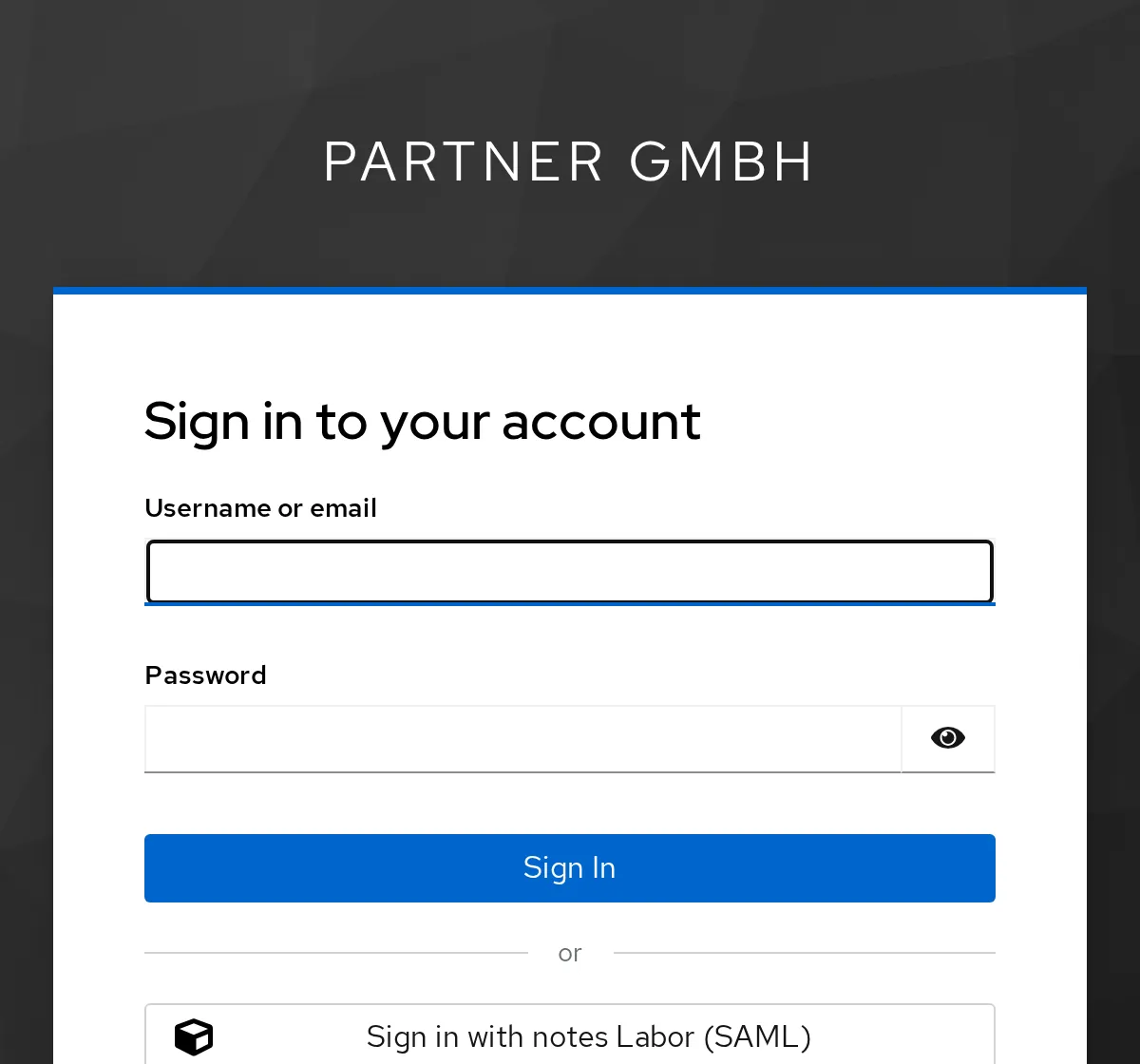
Log in at notes Labor as anna – you land in partner’s
account console, with Anna’s name. Without the mappers, partner would
first have asked for email and names.
AP=$(kcadm get users -r partner -q username=anna -q exact=true | jq -r '.[0].id')
kcadm get users/$AP -r partner | jq -c '{username, email, firstName}'
kcadm get users/$AP/federated-identity -r partner \
  | jq -c '.[] | {identityProvider, userName}'
Expected:
{"username":"anna","email":"[email protected]","firstName":"Anna"}
{"identityProvider":"notes-lab","userName":"anna"}
Save your progress? Sign up for free
Drill 7: A Theme of Your Own
Themes live in /opt/keycloak/themes. Your
compose.yaml has mounted the themes folder for
that since Day 1. A theme inherits from another one and overrides only
what should be different:
grep themes ~/kc-lab/keycloak/compose.yaml
T=~/kc-lab/keycloak/themes/notes/login
mkdir -p $T/resources/css $T/messages
cat > $T/theme.properties <<'EOF'
parent=keycloak.v2
styles=css/styles.css css/notes.css
EOF
cat > $T/resources/css/notes.css <<'EOF'
:root {
  --keycloak-bg-logo-url: none;
  --keycloak-card-top-color: #e8590c;
}
.login-pf body { background-color: #1f3b4d; }
EOF
echo 'loginAccountTitle=Bei notes anmelden' > $T/messages/messages_en.properties
find ~/kc-lab/keycloak/themes/notes -type f | sort
Expected:
      - ./themes:/opt/keycloak/themes:ro                  # eigene Themes (ab Tag 11)
/home/…/kc-lab/keycloak/themes/notes/login/messages/messages_en.properties
/home/…/kc-lab/keycloak/themes/notes/login/resources/css/notes.css
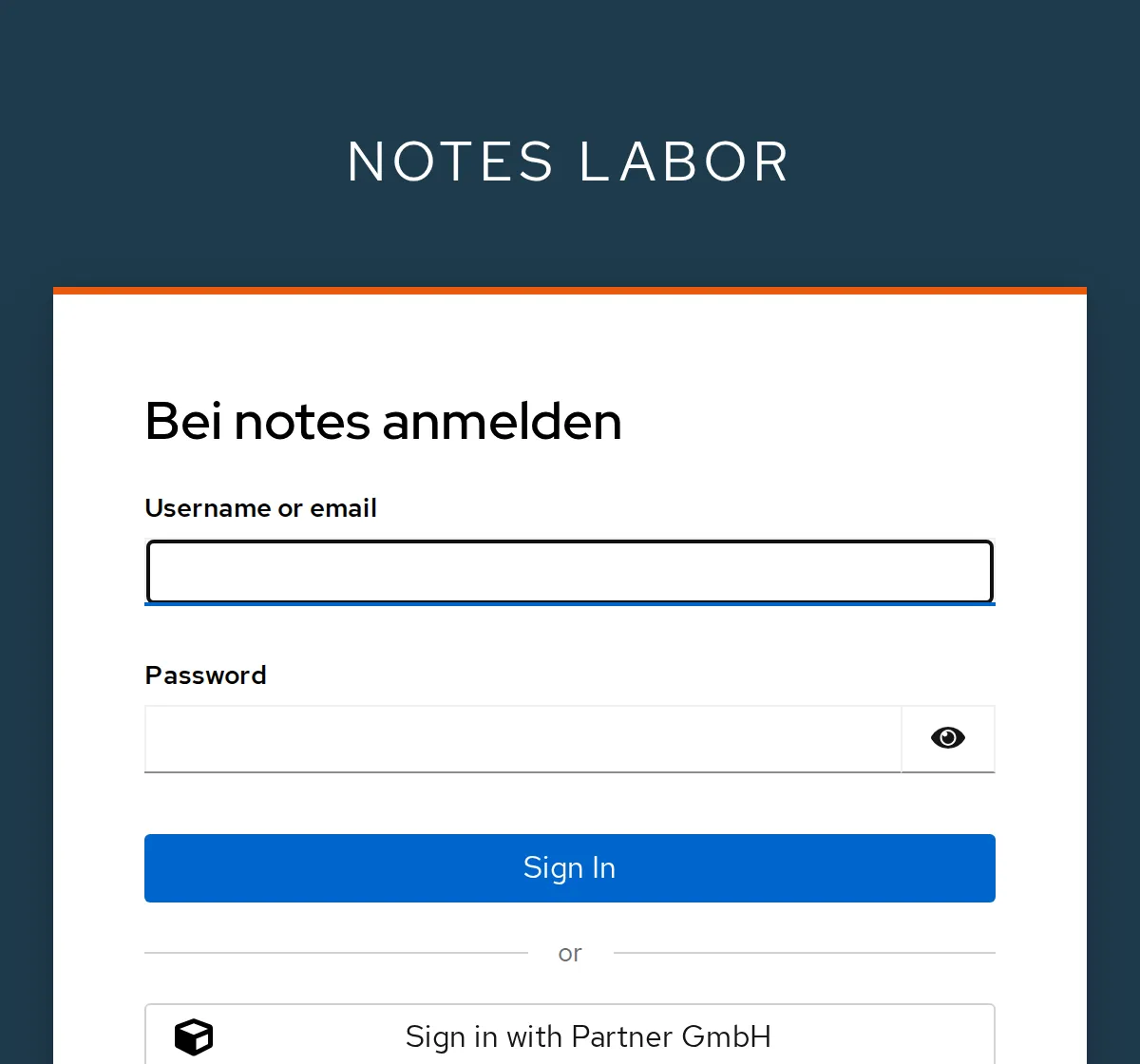
/home/…/kc-lab/keycloak/themes/notes/login/theme.propertiesparent=keycloak.v2takes over the default theme with all templates.stylesloads its CSS first, then our file. It redefines two CSS variables of the default theme and colors the background.messages_en.propertiesoverrides a single text (“Bei notes anmelden”, sign in to notes).
In production mode, Keycloak caches theme settings, texts and
templates. A new theme therefore needs a restart; after that we enable
it for the realm. We fetch the login page with curl through
the client notes-cli:
docker compose -f ~/kc-lab/keycloak/compose.yaml restart keycloak
until curl -sf -o /dev/null $KC_URL/realms/lab; do sleep 3; done
kclogin
kcadm update realms/lab -s loginTheme=notes
LOGIN="$KC_URL/realms/lab/protocol/openid-connect/auth?client_id=notes-cli"
LOGIN="$LOGIN&response_type=code&scope=openid&redirect_uri=http://localhost:9999/cb"
curl -s "$LOGIN" | grep -o -E 'Bei notes anmelden|login/notes/css/[a-z]*\.css'
Expected:
 Container keycloak-keycloak-1 Restarting
 Container keycloak-keycloak-1 Started
Logging into http://localhost:8080 as user kcadmin of realm master
login/notes/css/styles.css
login/notes/css/notes.css
Bei notes anmelden
Open notes in a private window:
Save your progress? Sign up for free
Checkpoint
kcadm get clients/$NW -r lab | jq -r .authenticationFlowBindingOverrides.browser
kcadm get authentication/flows -r lab \
  | jq -r '.[] | select(.alias=="browser-notes") | .id'
Expected: the same ID twice – notes-web uses browser-notes.
…
…
for r in lab partner; do
kcadm get identity-provider/instances -r $r \
| jq -r '.[] | [.alias, .providerId] | @tsv'
doneExpected: an OIDC broker in lab, a SAML broker in partner.
partner keycloak-oidc
notes-lab   saml
kcadm get realms/lab --fields loginThemeExpected:
{
  "loginTheme" : "notes"
}
Challenge
The heading should read “Anmelden bei notes” (sign in at notes).
Change the theme and show with curl that Keycloak serves
the new text.
Hint: The text is in
messages_en.properties. Remember the cache.
Solution
M=~/kc-lab/keycloak/themes/notes/login/messages/messages_en.properties
echo 'loginAccountTitle=Anmelden bei notes' > $M
curl -s "$LOGIN" | grep -o -E 'Bei notes anmelden|Anmelden bei notes'
docker compose -f ~/kc-lab/keycloak/compose.yaml restart keycloak
until curl -sf -o /dev/null $KC_URL/realms/lab; do sleep 3; done
curl -s "$LOGIN" | grep -o -E 'Bei notes anmelden|Anmelden bei notes'
Expected:
Bei notes anmelden
 Container keycloak-keycloak-1 Restarting
 Container keycloak-keycloak-1 Started
Anmelden bei notes
Before the restart, the old text comes from the cache. CSS files, on
the other hand, Keycloak reads anew on every request – but the browser
keeps them for 30 days (Cache-Control: max-age=2592000), so
do a hard reload in the browser. When developing a theme, you turn the
caches off: --spi-theme--cache-themes=false and
--spi-theme--cache-templates=false – never in
production.
Save your progress? Sign up for free
Enterprise Note
- Version your flows: Copied flows belong in the realm export or in Terraform (Day 13). Flows built by hand in the console are hard to reproduce.
- Step-up: With conditions such as “level of
authentication”, Keycloak requires a second factor only when an
application requests it via
acr_values. - Brokering in practice: For Azure AD/Entra ID, Google or GitHub there are ready-made providers. With Organizations, Keycloak assigns users to the right IdP based on their email domain.
- SAML: In production, both sides sign, and assertions are often additionally encrypted. Certificates expire – re-import metadata regularly.
- Package themes: Instead of a folder, a JAR in
/opt/keycloak/providers. For elaborate login pages there is Keycloakify (React).